Greetings loyal readers,
If you've been reading for a while, you'll recognize Kevin DePopas. He led growth for Demand Curve in 2025 and owned this newsletter through that period. He still works closely with us.
Kevin's gone fractional, and he's going all in on content to bring in clients, with one constraint he didn't have last time: it has to fit around the client work he already has. The editing and scheduling bottleneck that stopped him before is the thing he's trying to solve.
So we asked him to run an experiment: take one idea, record once, and see how much good content he can get out of it.
To pull it off, Kevin turned to a tool he's used for podcasting for years: Riverside. Riverside is sponsoring this newsletter issue, which worked out, because Kevin recently found out it does a lot more than record. It's now a full content studio, with recording, editing, an AI assistant, a newsletter tool, and a social scheduler in one place. That's what he ran the whole experiment in.
Inside:
How 15 minutes of raw footage becomes 7 posts across 5 formats
Where the six to seven hours actually went, and why the video edits weren't the slow part
How he used AI for the script, the cut, and all 7 post drafts
How he built a bank of 400+ topic ideas, and the two questions he narrows them with
What one tool, Riverside, actually took off his plate, and the parts he still did himself
This is a deep dive on how to 80/20 content as a busy founder or operator in 2026.
Over to you, Kevin
—Nick
P.S. If you want to give Kevin's process a try after reading, use code DEMANDCURVE for a free month of Riverside Grow. That includes MCP, which connects Riverside to Claude and ChatGPT.
One idea. Two weeks of LinkedIn content.
Insight from Kevin DePopas, Growth Advisor at Demand Curve
Last year I tried my hand at content and generated 900k+ impressions on LinkedIn across 10 posts.
Then I stopped, because I couldn’t keep up with what it took to make them.
I’m a former founder and startup sales, marketing, and growth leader, and last month I went fractional. That means no salary and no team behind me. If the companies I want to work with don’t know I exist, I don’t have a business. Content is how I fix that, and this time I have to do it alongside client work.
Generating content ideas was never the problem. The production was. Recording the raw video, finding the usable takes, cutting the video, adding captions, and scheduling posts always seemed to take longer than expected.
So I recently gave myself a test. Take one idea, record it, and see how much content I can get out of it, in as little time and with as few tools as possible. If I can reliably create six to eight posts from one 10- to 15-minute recording, I have a content process I can sustain.
Riverside is the tool I'm using. I've recorded podcasts in it for years, but until this test I'd never touched the editor, AI assistant, newsletter tool, or social scheduler. Since the whole point was as few tools as possible, that's what I used.
If you're a founder, soloist, or creator trying to grow a business with content while still having a business to run, this one's for you. I'll walk you through my process, from choosing a topic to getting posts scheduled, and show you where the time went.
Quantifying my goal
Fractional consulting doesn't need to be high volume. I only need a handful of clients at a time, so I don't need content that goes viral. I need to stay consistently in front of a small group of founders and operators at VC- and PE-backed companies. That means 5,000 to 10,000 impressions per post at about three posts a week, which is what my non-viral posts averaged last year. Over 44 weeks, allowing for some weeks off, that works out to 660,000 to 1.32 million impressions a year. I can work on the rest of the funnel once I’m reliably showing up.
Deciding what I’m going to make
Picking formats I've seen work
A lot of people get hung up on content because they don’t know where to start. My recommendation is to find a format that’s working for other creators and that looks manageable to reproduce.
Video worked well for me last year, so I wanted to keep it as my anchor format. But the specific style of video I was creating took a lot of research, production, and editing. I needed a video format I could make consistently, without as much time or effort.
Alex M H Smith was a useful reference. He talks about business and strategy with a clear topic and a point of view, without elaborate production around it. That looked like something I could do.
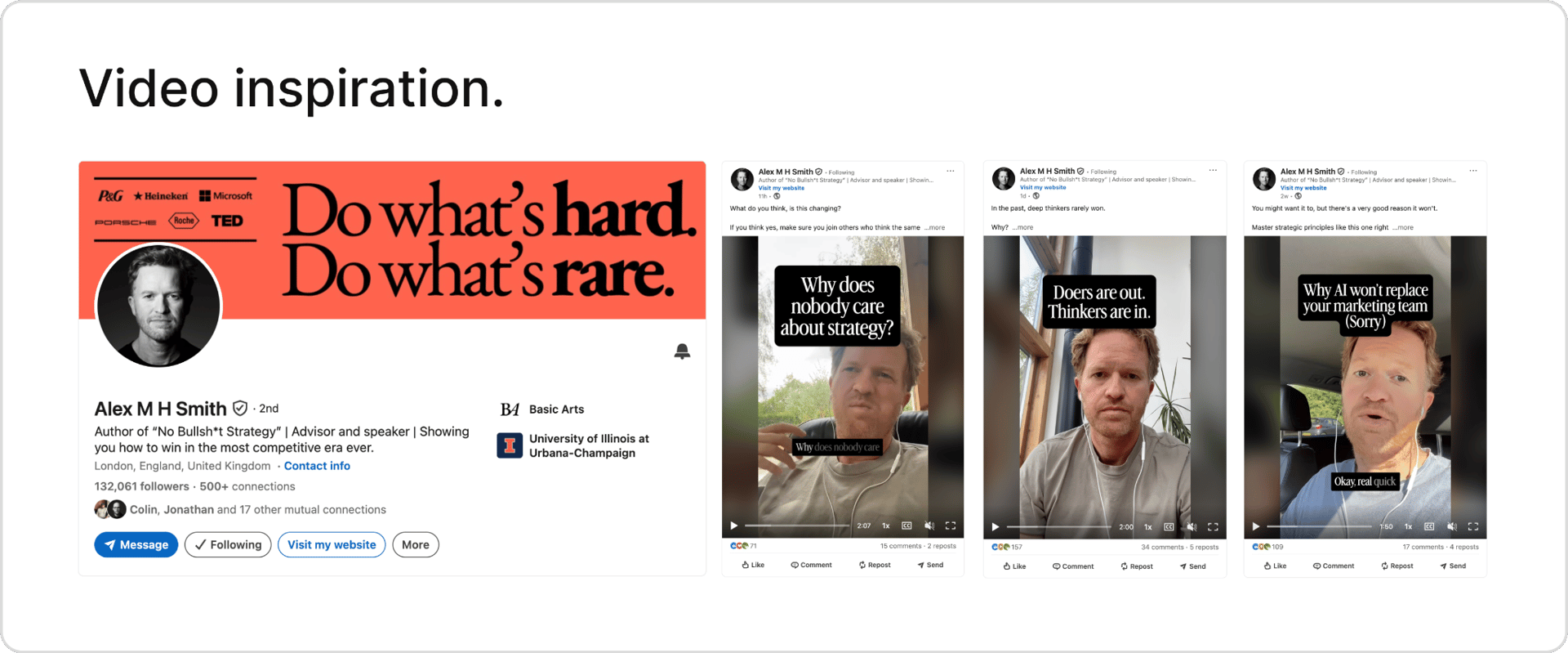
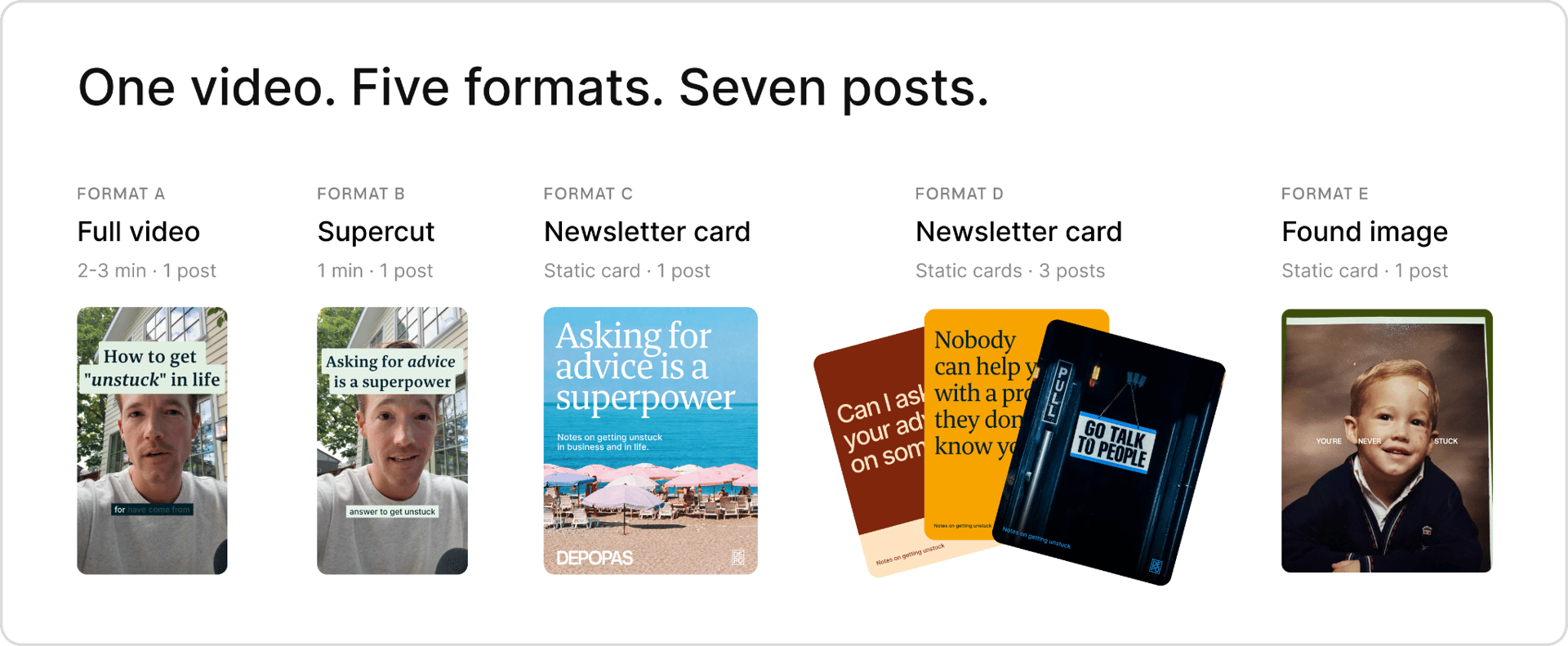
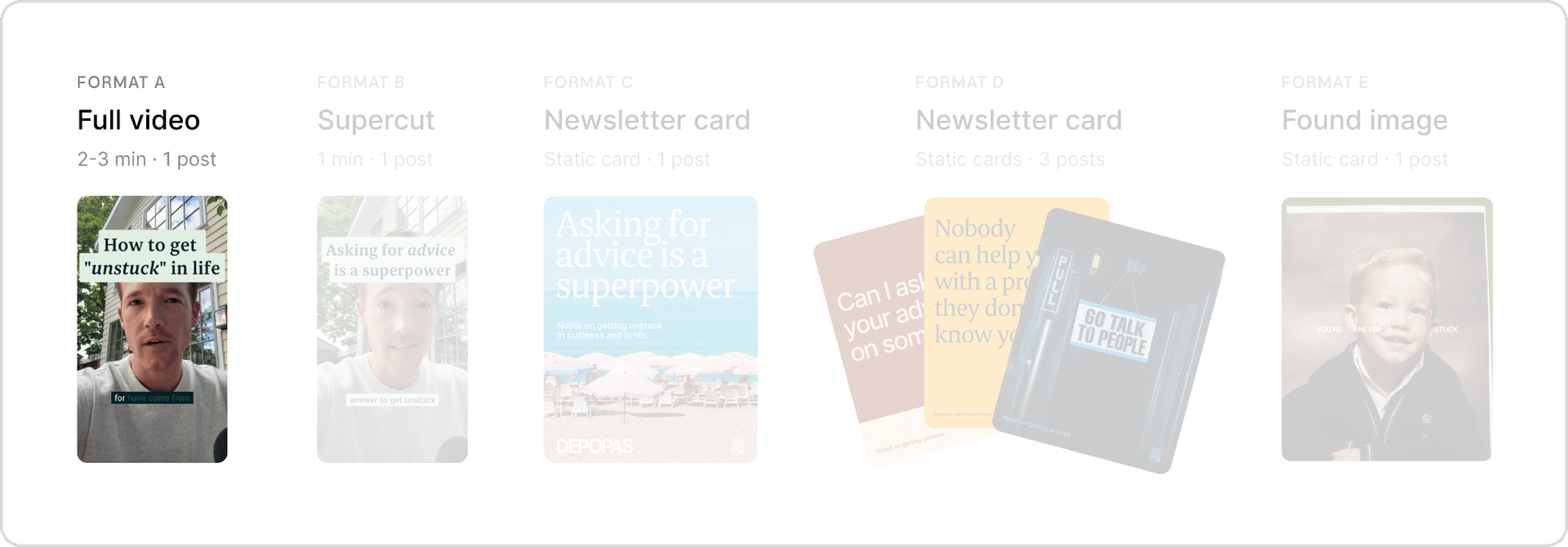
With that as the reference, I chose two- to three-minute videos as my anchor, Format A. Then I picked a few other formats I could build from that recording. Together, they give me seven posts from one idea.
Choosing my topics
Now for the age-old question. What do I talk about?
I generally choose topics I enjoy talking about and feel I have some license to speak about because of my experience. That might be a lesson from my career, a technical part of a job that few people get exposed to, or a pattern I keep noticing in conversations with prospects, colleagues, or founders.
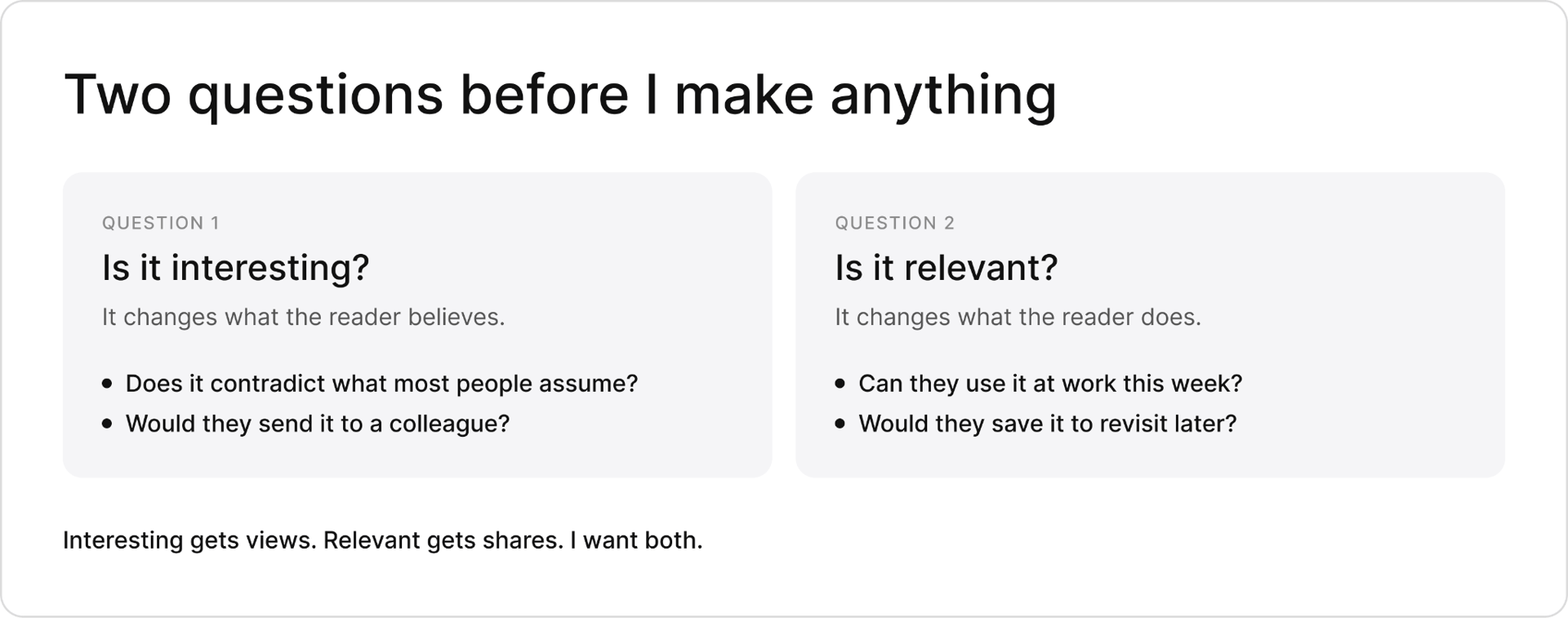
Beyond feeling comfortable with the topic, I want it to create value for the reader. Two questions help me narrow it down.
Working through my past writing and recent conversations gave me a list of 400+ ideas, consolidated into the idea bank below.
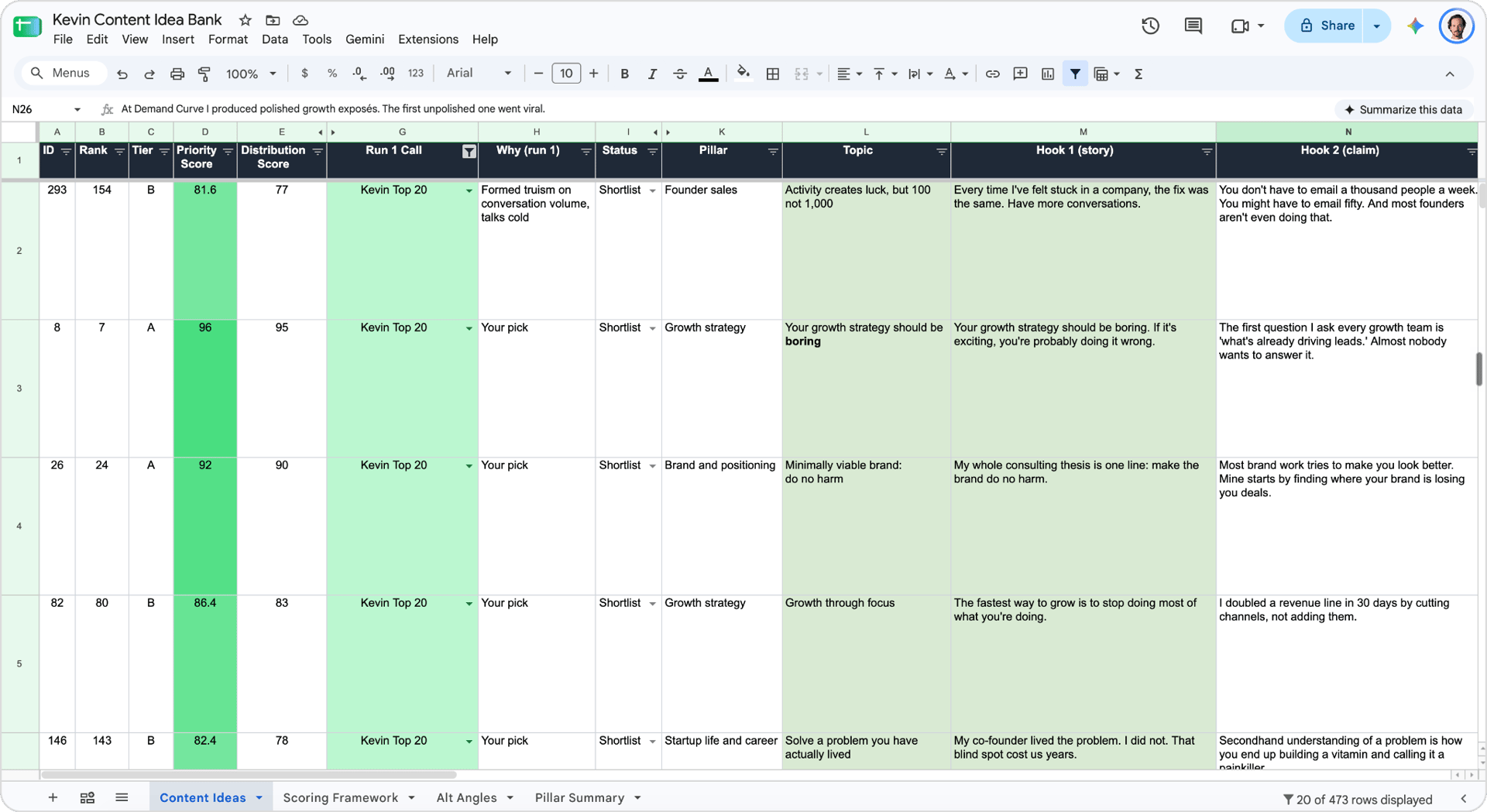
I wasn’t precious about the first topic. Part of the goal is to build the habit of creating and posting, and overthinking every topic won’t help. I went with “How to get ‘unstuck’ by asking for advice,” something I’d recently been giving a friend advice about.
From idea to scheduled posts
With my first topic selected, I worked through the following steps.
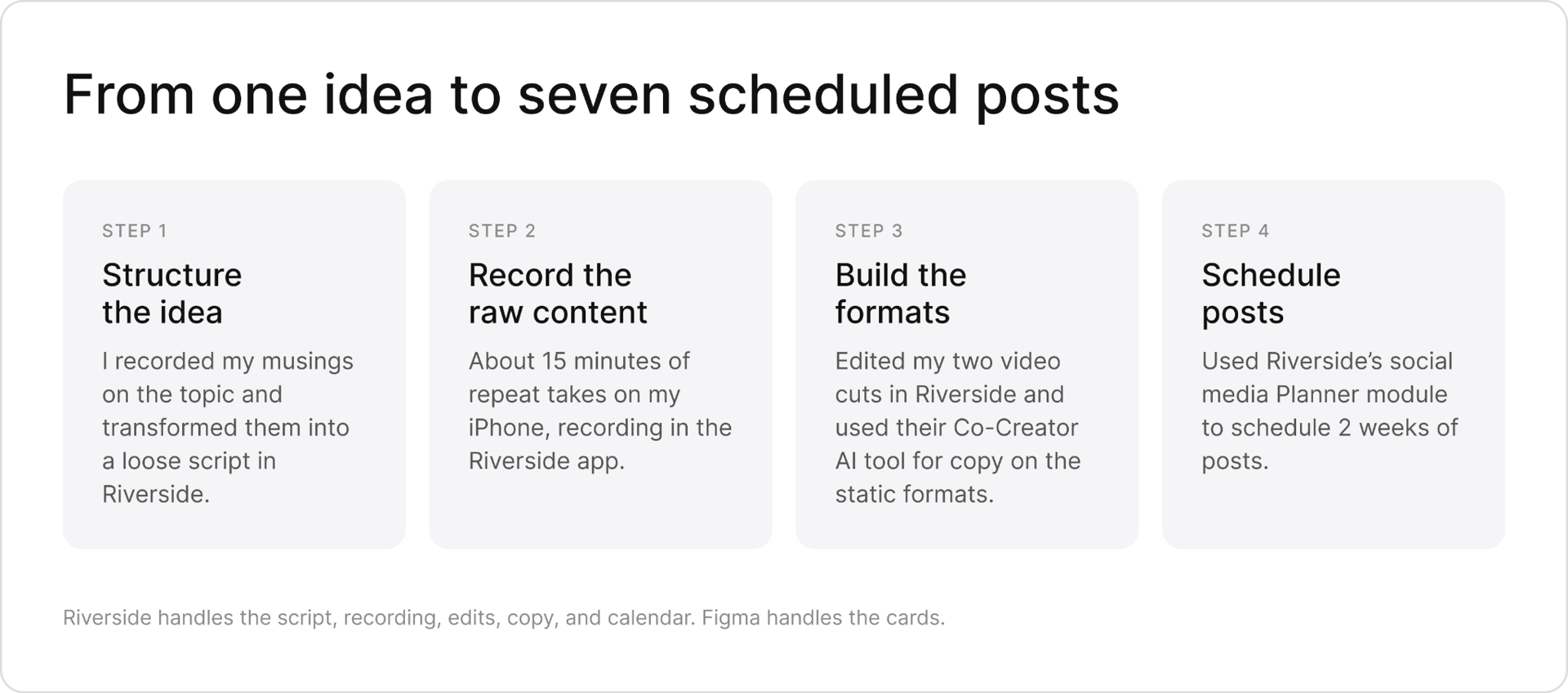
Step 1 · Structuring the idea
Work out the hook, context, and payoff before hitting record.
The structure I’m using
Hitting record without any prep usually means hearing myself say something and thinking, “There’s a better way to explain that,” then re-shooting. So I created a loose outline before recording.
Here was my general structure.
Hook. Start with something concrete and give someone a reason to keep watching. A specific experience or a surprising observation does more for me than a broad statement like “networking is important.”
Context. Give a stranger enough information to follow the story. What was happening, what was difficult, and why did it matter?
Payoff. Resolve the question the opening hook creates. What changed, what did I learn, or what can the viewer do with it?
There’s much more to scriptwriting than I can cover here. Kane Kallaway and Brendan Kane are two creators who go much deeper on these topics.
Developing the script in Riverside
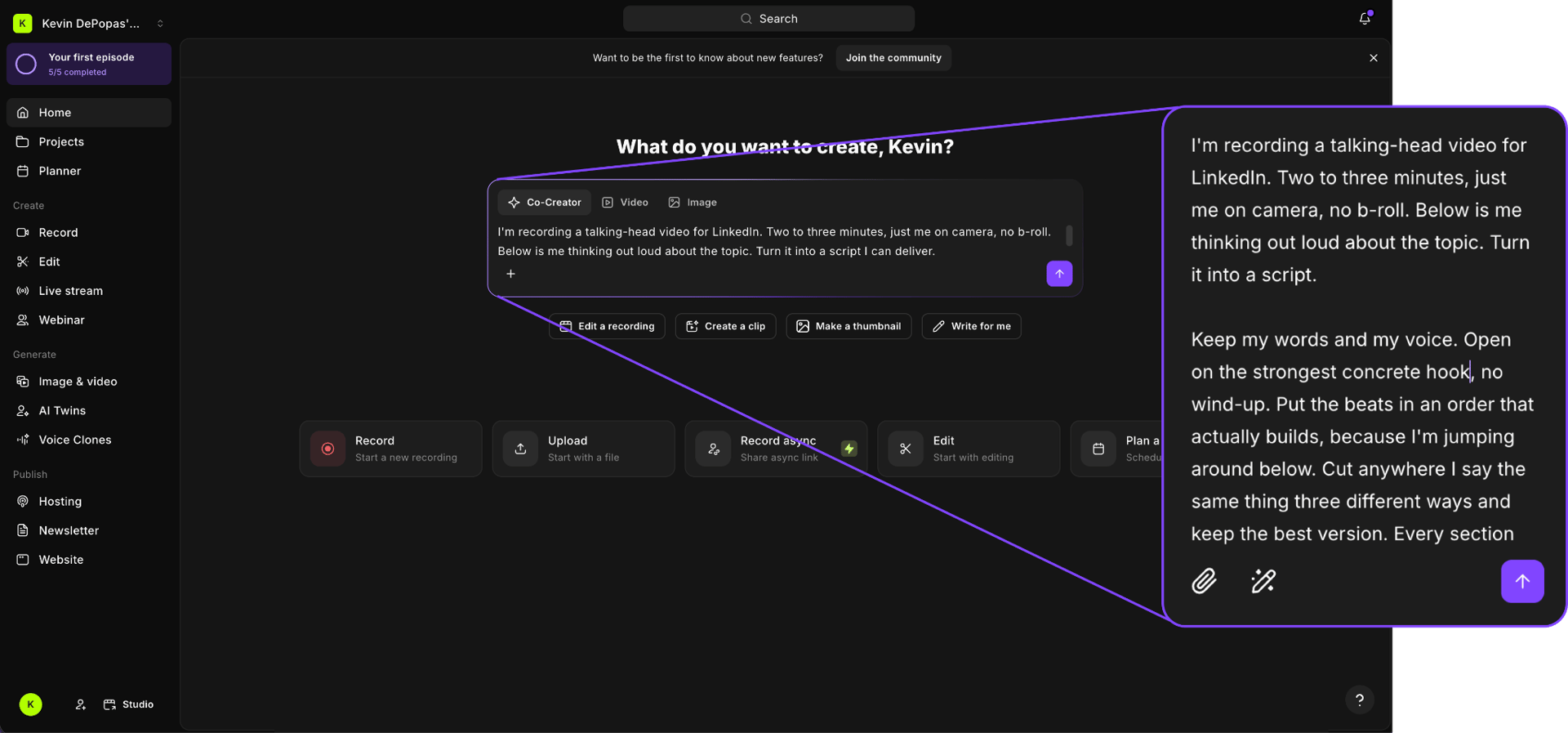
For the “getting unstuck” topic, I started by opening Riverside and dictating my thoughts related to “What to do when you feel stuck” into Co-Creator, its AI assistant. I asked it to turn those high-level, rambling notes into a LinkedIn script with a curiosity-inducing opening, a clear progression, and a useful ending. I also asked it to maintain my tone of voice, word choice, and perspective, remove repetition, and flag gaps rather than make things up.
Step 2 · Recording the raw content
My iPhone, a microphone, and about 15 minutes of recording.
I chose a spot in my backyard with an interesting enough background and recorded on my iPhone’s front-facing camera, directly in the Riverside app. Nothing elaborate.
A casual setup doesn’t have to mean a low-quality recording. Riverside records locally on the phone and supports up to 4K, and the footage lands straight in the editor.
I loaded the rough script into the app’s teleprompter so it was visible over the camera preview. Having the words on screen helped keep my place, though it didn’t make me effortlessly articulate the second the camera turned on. Some lines still took a few attempts, and I allowed myself to riff if I felt inclined.
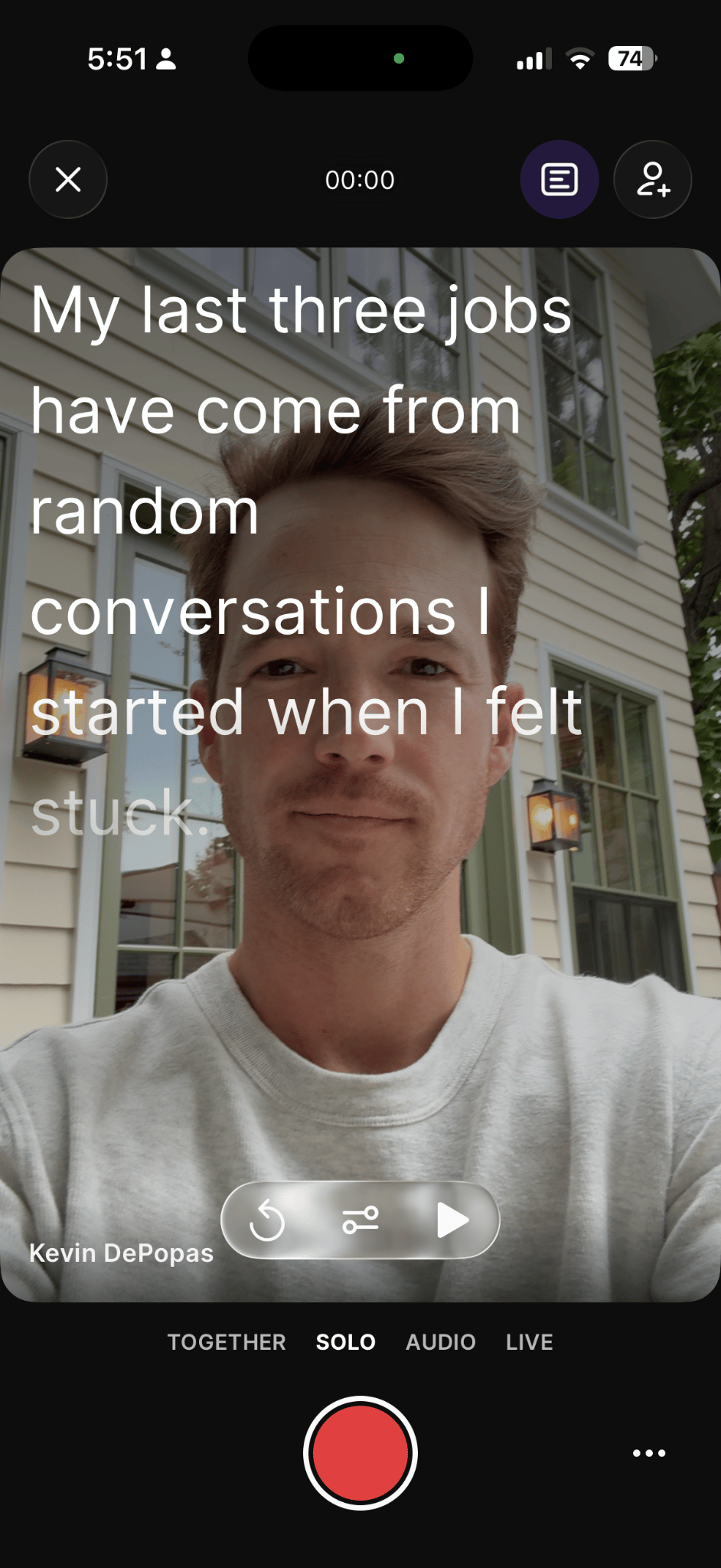
When I stumbled, I paused for a second or two, recomposed myself, and said the line again. If you’re uncomfortable on camera, know that repeating a line is normal. I do it all the time. Getting one usable sentence and moving on is much easier than trying to deliver a whole paragraph perfectly, and each clean attempt gives Co-Creator something to pick from later.
I ended up with roughly 15 minutes of raw footage, including the repeated takes.
Step 3 · Building the formats
One recording becomes two videos, a newsletter, and four static posts.
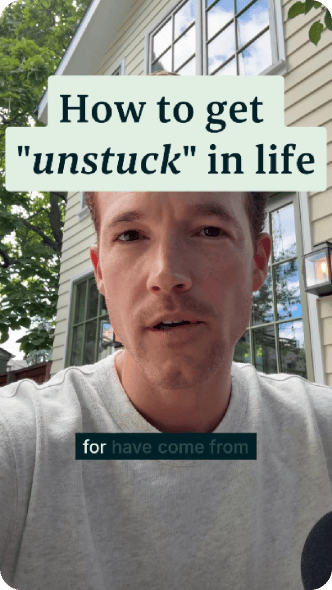
Format A · Editing the main video
Start with an AI edit
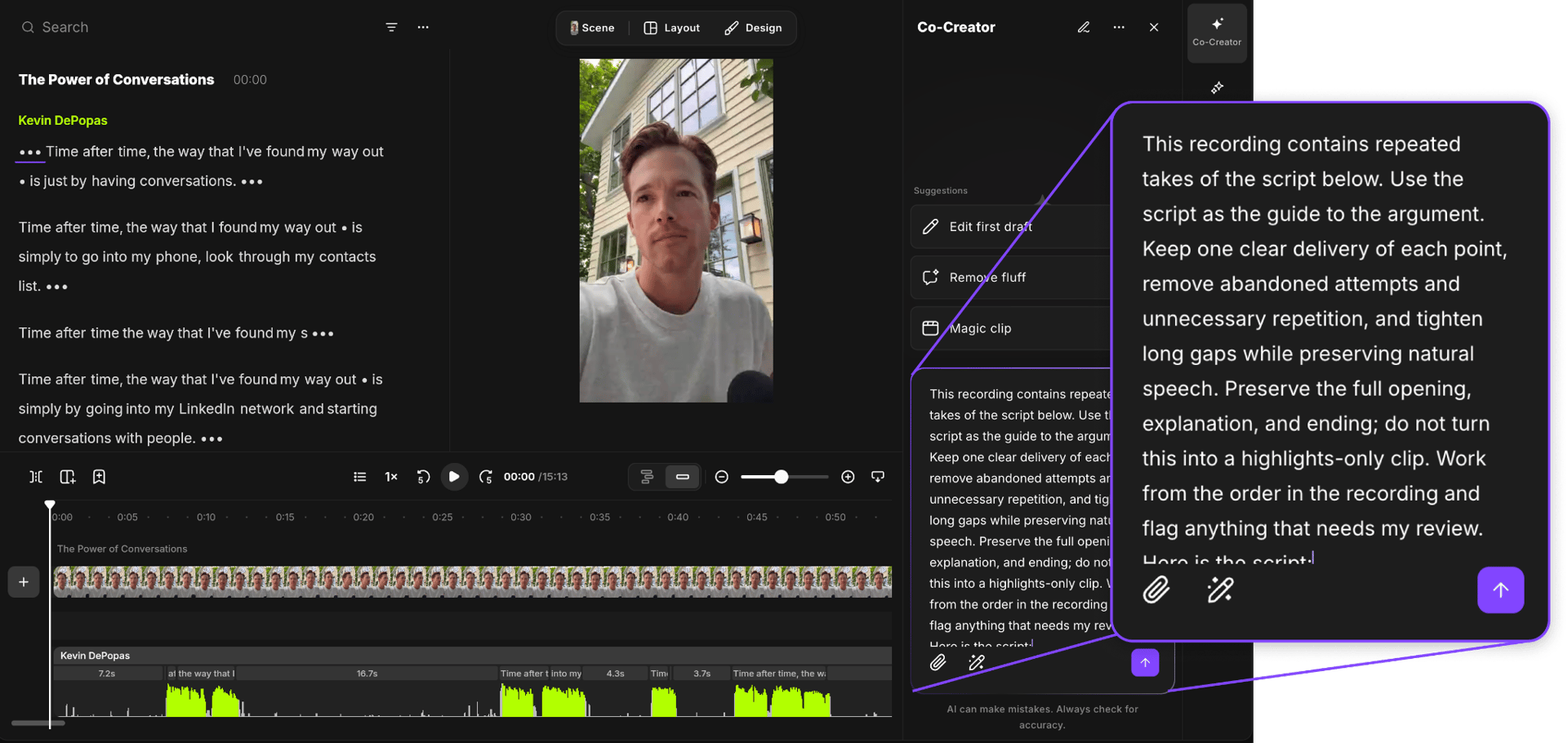
Once the recording was ready in the editor, I gave Co-Creator the script and asked it to find the strongest takes for each point, remove the restarts, and tighten the gaps while keeping the full storyline in the order I’d drafted. I made that explicit in the prompt.
Make any remaining manual edits
Co-Creator handled much of the first pass of finding useful takes and assembling the story, work that has taken me hours in the past. I watched the cut all the way through, tightened a few remaining pauses on the timeline, and removed wording I didn’t need through the transcript.
Add captions and title text
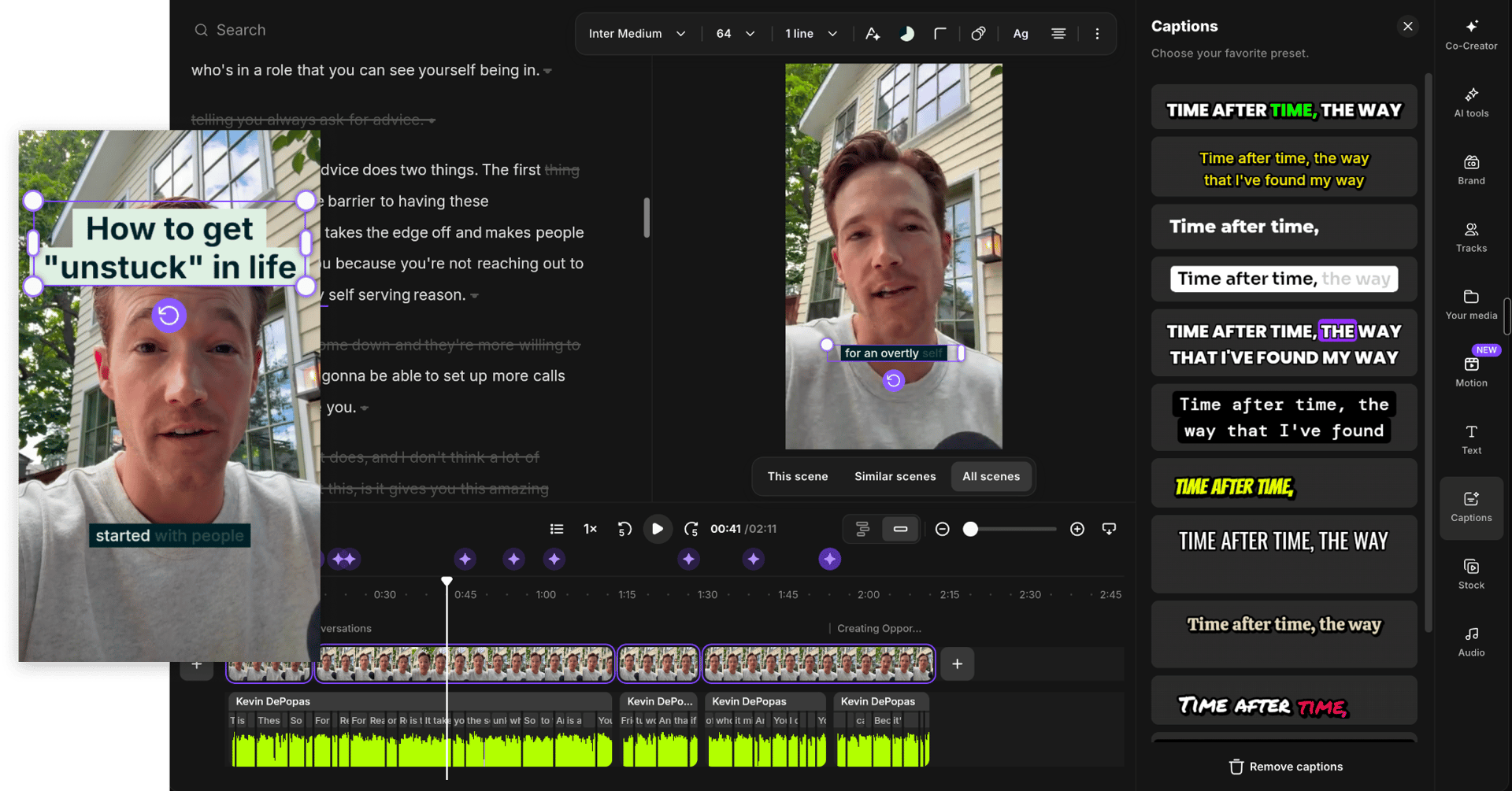
In the Riverside editor, I opened Captions, chose a preset, and adjusted the font, colors, and placement. The captions come from the recording, so I wasn’t typing and timing every line myself.
I also added “How to get ‘unstuck’ in life” as an opening title directly in the editor. The Text tool handles the styling and timing. My hope is that “feeling stuck” is broad enough for a lot of people to recognize, while leaving them curious about what I suggest doing about it.
Format B · Making the supercut
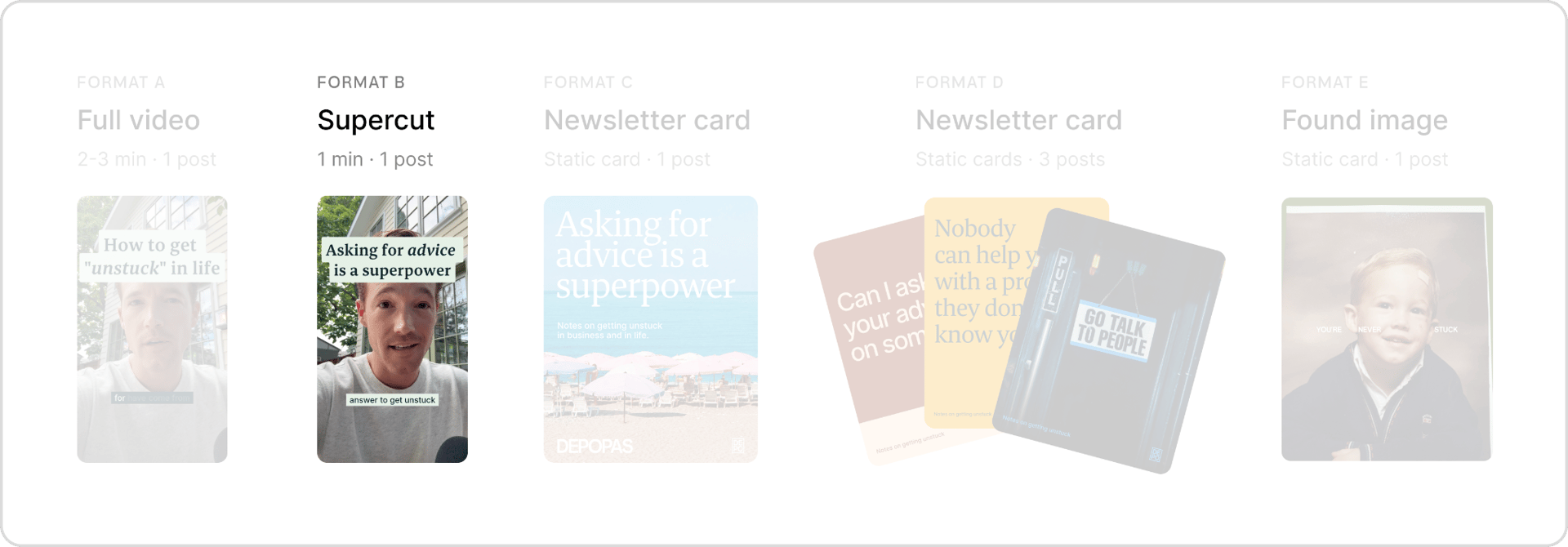
With the full version assembled, I made a second edit that comes at the idea from a different angle. This time I asked Riverside Co-Creator to open on a different hook and keep the essential explanation and the payoff. Sometimes I realize a different way to arrange the piece after the first edit, so I push myself to try another version even when I’m attached to what I recorded.
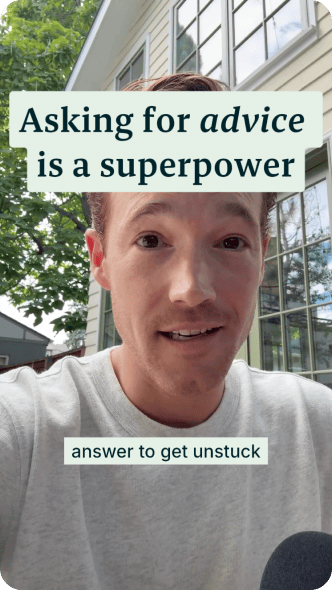
Format C · Creating a newsletter and a social card
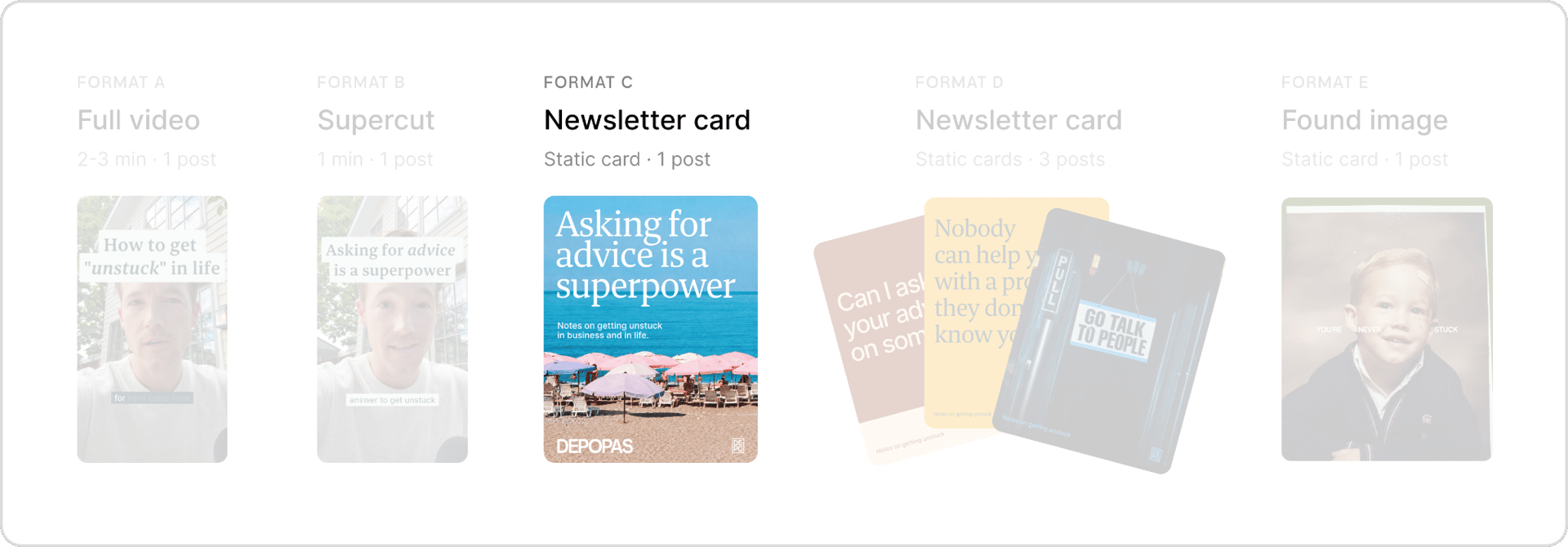
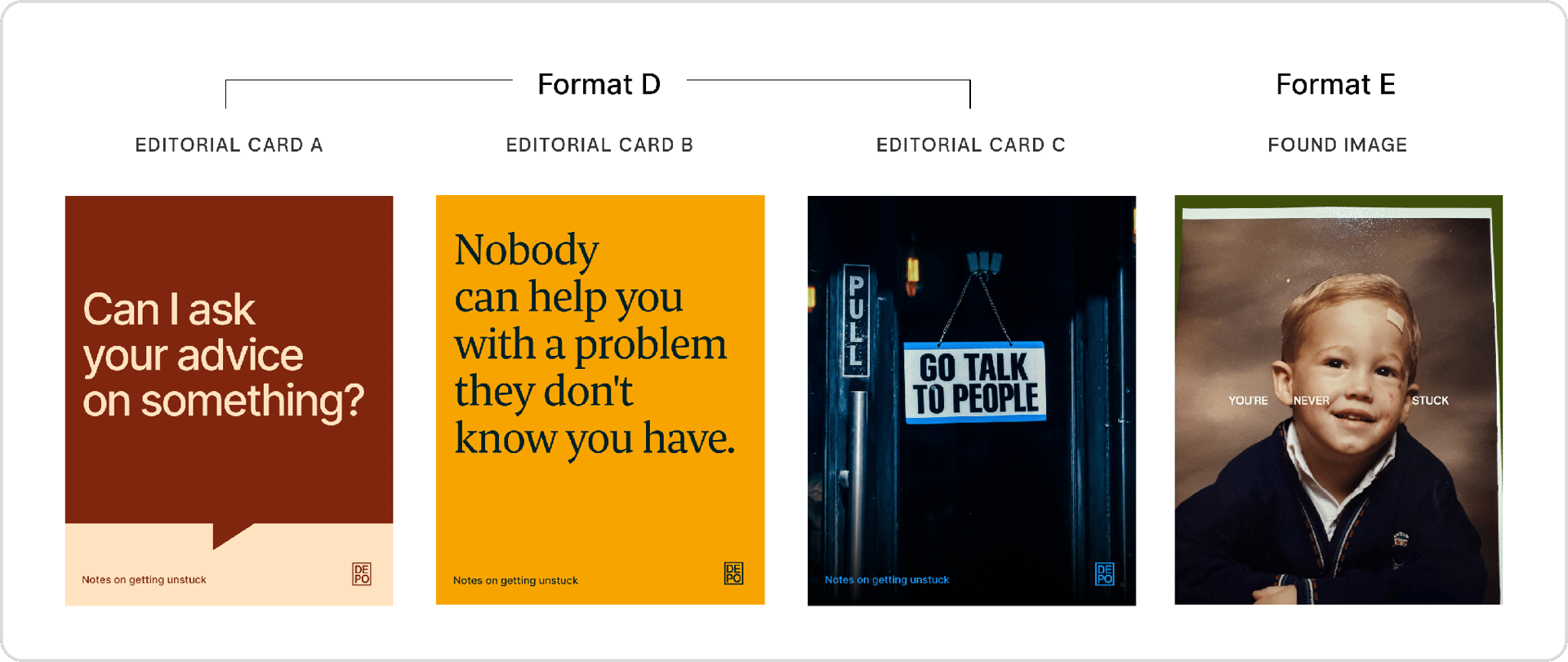
If I’ve already worked out an idea for a video, I have the start of an article. I hadn’t picked a newsletter platform yet, so I tried the one inside Riverside and used “Generate from file” to turn the recording into a first draft. As with any AI draft, it still needs the claims checked and the voice fixed before it goes out.
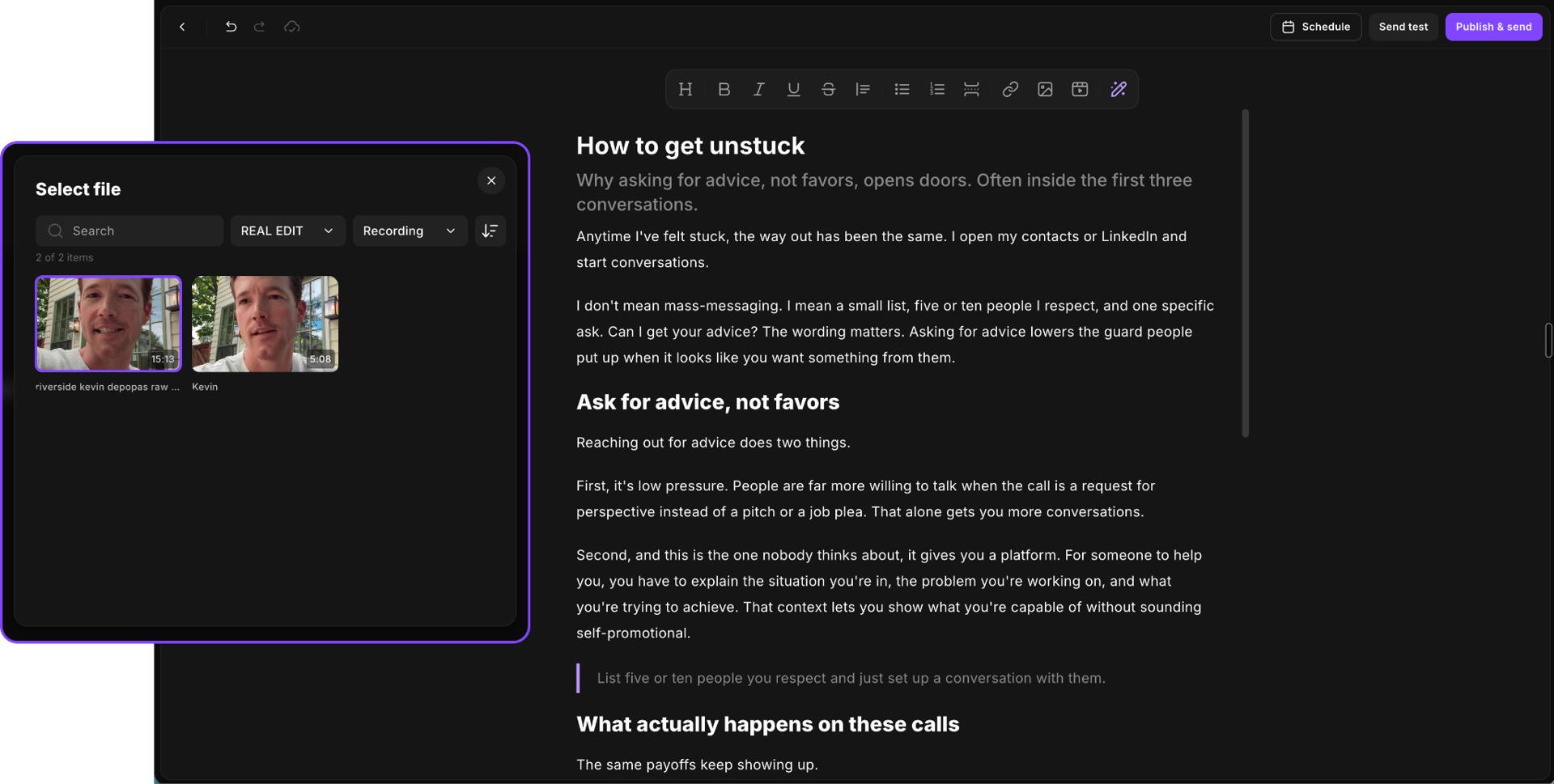
For LinkedIn, I paired a simple newsletter card with a post introducing the idea and inviting people to read the article.
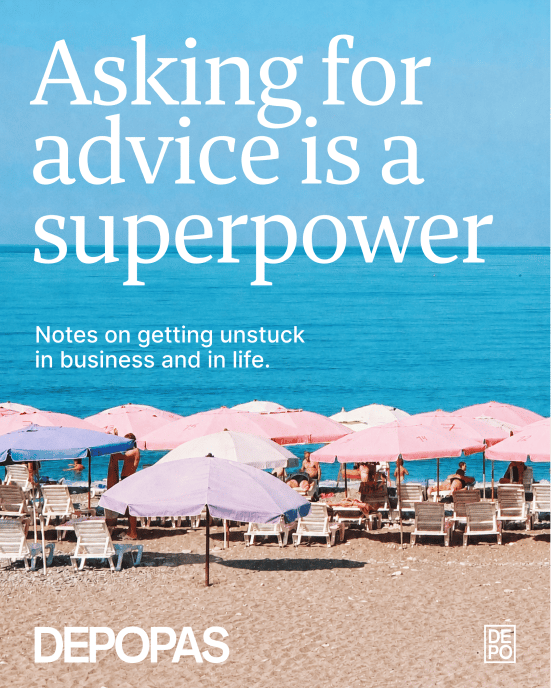
Formats D and E · The posts I made outside Riverside
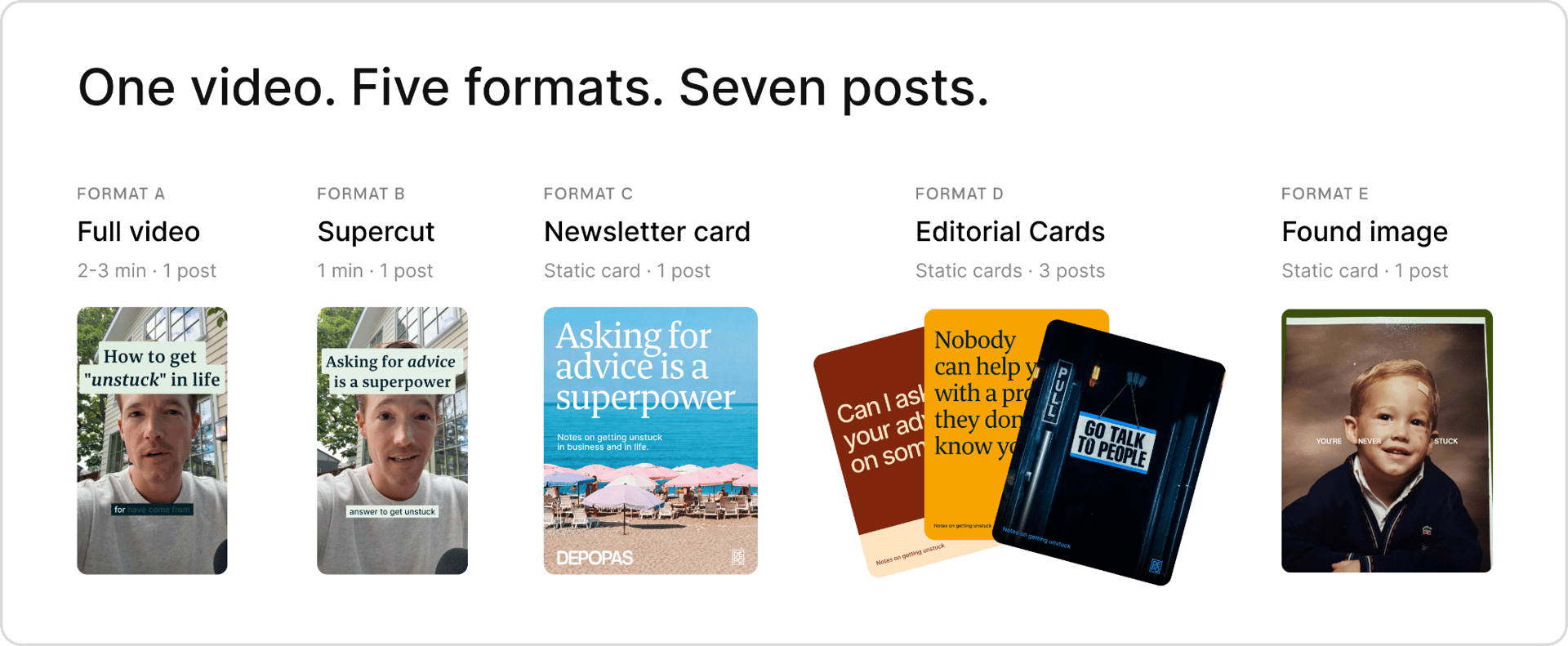
The same recording also gave me three editorial cards and a found-image post. A longer piece usually has several story beats that can stand on their own, and Co-Creator pulled these three hooks out of the transcript.
Can I ask your advice on something?
Nobody can help you with a problem they don't know you have.
Go talk to people.
I built the cards in Figma. For the found-image post, I used a photo of me as a kid and wrote the post as advice to a younger me.
Writing the post copy
I created the LinkedIn copy as a batch. I gave Riverside Co-Creator five of my previous LinkedIn posts as a writing reference and used the recording as the source material for the seven drafts.
I’m testing different approaches to the copy depending on what accompanies it. For the videos and the newsletter card, I want the post text to set the hook without closing the loop, leaving someone curious enough to press play or read the article. For the editorial cards and the found-image post, the insight has to be complete in the post itself, so someone gets something useful without leaving the feed.
Step 4 · Scheduling the posts
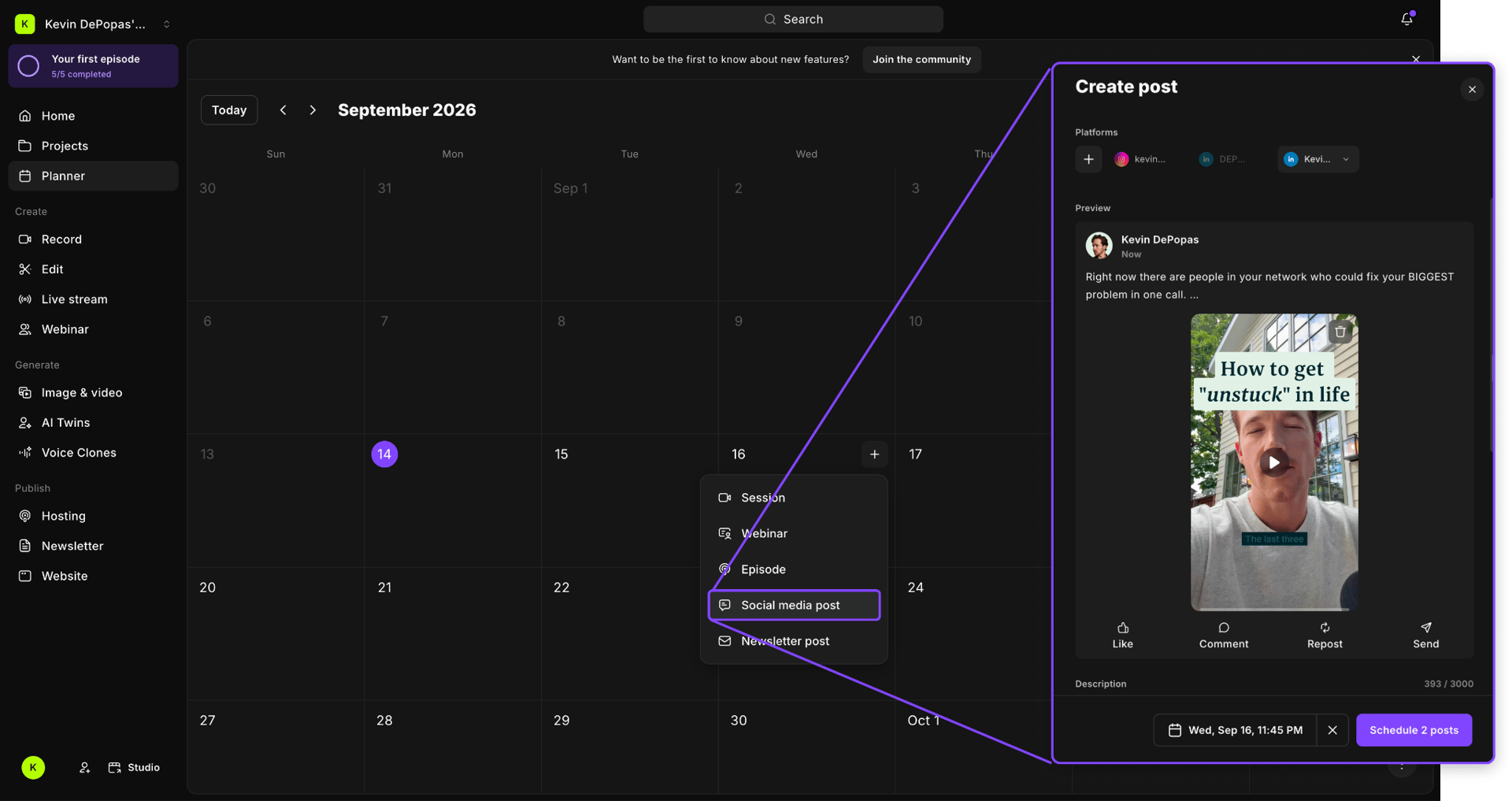
Three posts a week for two weeks, scheduled from the Planner.
In Riverside’s Planner, I created a social post, selected LinkedIn, and connected my profile. Then I selected the asset, added the post text, and chose a publication date and time. The videos were already in my studio, so they were easy to schedule. For everything else, I uploaded to the Planner.
Takeaways
I got seven LinkedIn posts from roughly 15 minutes of raw footage. That gives me two weeks of content at the cadence I’m aiming for, and I’m pretty happy with the result.
The first run took longer than it will next time, since I was learning the tool and writing this piece as I went. Now that the process is set, I'd estimate six to seven hours from picking a topic to seven scheduled posts.
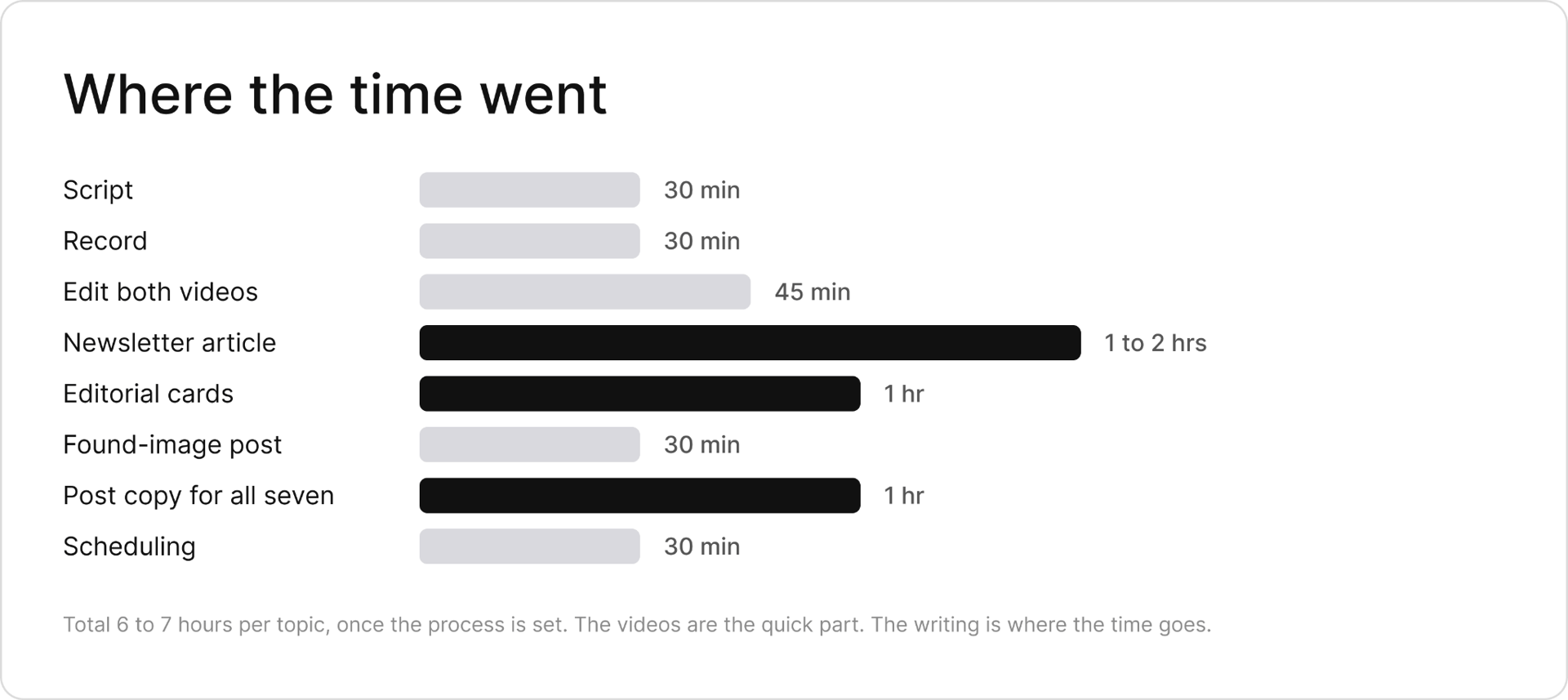
Video edits are the part people assume takes forever, but in this workflow, they were actually one of the quickest parts. The writing often takes the most time. If I run this motion twice, it will cost me 12 to 14 hours for a full month of content.
Repeating a topic
You might be wondering whether seven posts on the same topic will get repetitive for the people who follow me. I’d be more worried about that if I expected everyone in my network to see all seven. Think about your own feed. How many of your connections’ posts do you actually see in a week? Different formats and openings give the idea more chances to reach someone it’s useful to.
I’m also trying to be less precious about what I post. Once, when I was overthinking a post going live, Demand Curve co-founder Neal O’Grady told me, “Kevin, the nice thing about interest-based algorithms is that if the content’s not good, nobody sees it.” For whatever reason, that took a lot of pressure off. I still want to put thought behind what I publish, but at some point I have to post it and see what happens.
My experience using Riverside
I shaped the script in Co-Creator, recorded with the teleprompter, let it assemble a first cut, then edited the transcript, added captions, and drafted the newsletter and post copy from the same recording. Every call on the output was still mine. It just got my ideas into publishable form a lot faster than my old process.
One final point to remember. Good content takes effort. If a tool makes it effortless, with minimal thought or nuance from you, I hate to say it, but the final product probably isn’t going to be that good. The nuance behind an idea, the examples you choose, and the care you put into explaining it are what make it interesting.
To see the pieces as they come out and find out how they perform, follow me on LinkedIn. I’m timing the first post to go out alongside this newsletter, and I’ll share what I learn as I go.
And if there’s a recording you’ve been putting off, try the workflow with one idea. Use code DEMANDCURVE for one month free of Riverside Grow.
– Kevin
Something fun