

Conversation


🥳 Feedback Received!
Thanks for taking a moment to share your thoughts — it genuinely helps us make each chapter sharper.
What happens next:
- Your feedback goes straight to our product team.
- We’ll use it to refine lessons, clarify examples, and make the program even more useful.
Appreciate you helping make this program better for everyone.
Ready for your next challenge? 👇
Program walkthrough
By now you’ve already gone through onboarding, chosen your company path, and started your first lessons. This guide will give you a quick tour of the platform so you always know where things live and how to get the most of the program.
🖥 Dashboard
Your dashboard is home base. This is the place you’ll always come back to for a birds-eye view of the entire program.
From here you can:
- Jump into your active path. This keeps you moving forward in the structured plan we built for you during onboarding. (The Syllabus is where you can find the breakdown of courses inside your path.)
- Explore the full content library. Sometimes you’ll want to wander outside your path—say you hit a new challenge or want to preview what’s coming. Explore lets you dip into any course in the library.
- Dive into the Vault. This is where all the extras live (templates, tactics, ads, perks) that you can use as shortcuts while you’re executing.
- Access your personal library in “My Learning.” Everything you’ve started, saved, or completed lives here so you never lose track of your progress.
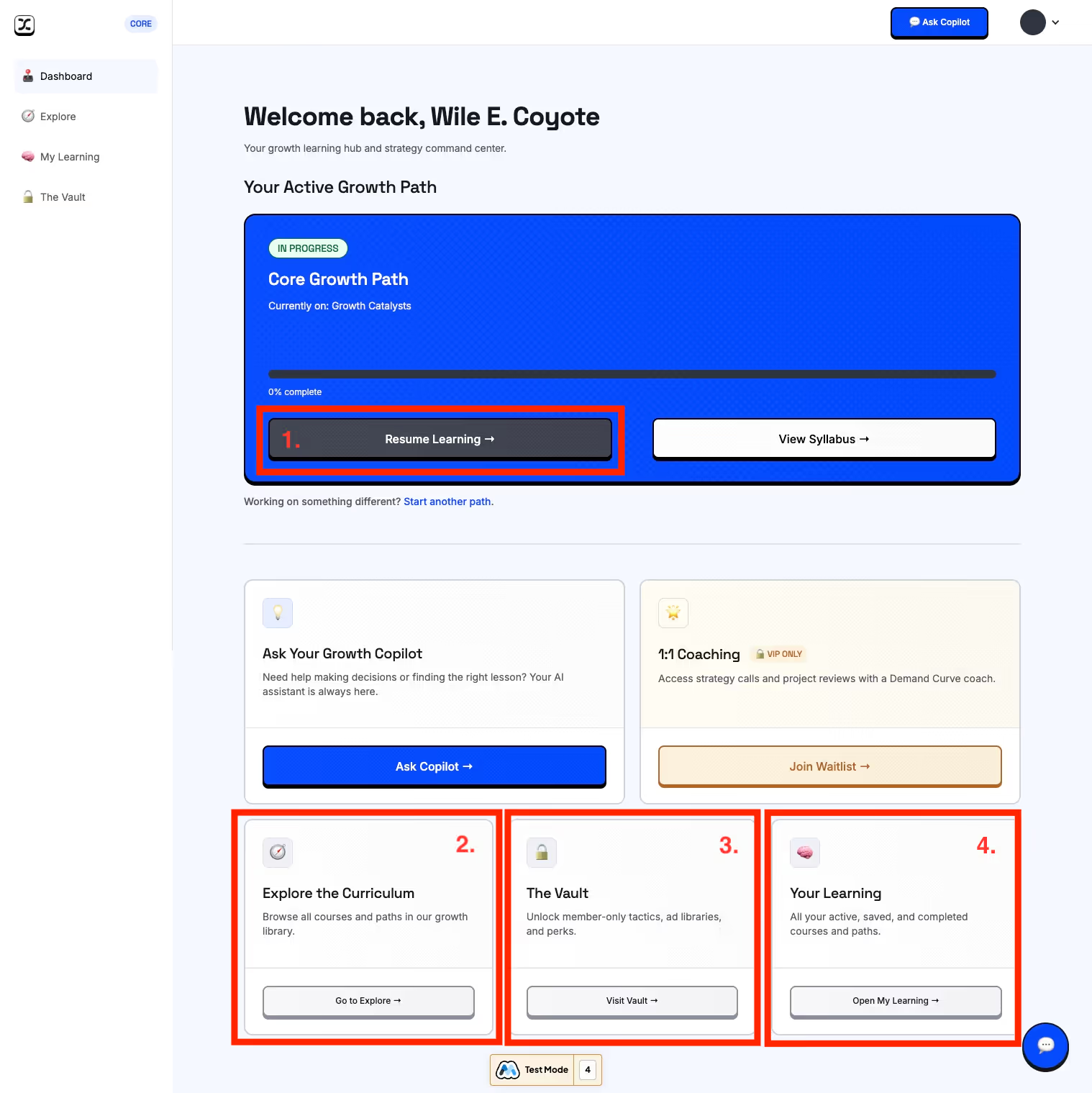
👉 Think of the dashboard as your map + compass: it shows you where you are in your journey and gives you the fastest way to jump into whatever matters most today.
Let’s look at each section of the course one by one.
📚 Courses & Paths
Paths are your structured roadmap, the guided way through growth. Let’s learn how to navigate the courses inside the program. Click on “Syllabus” to see your structure path curriculum:
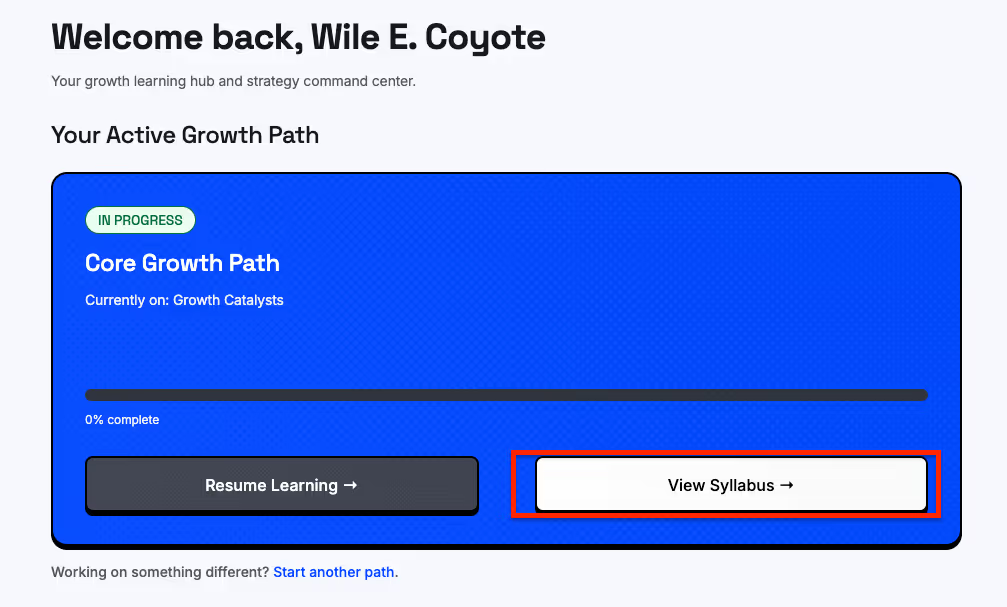
- Anything labeled Start = not touched yet
- In Progress = you’ve begun
- Resume = jump back in
- Review = completed, ready to revisit
.avif)
We built paths to give you the right things in the right order. Think of it as your linear foundation: cover the essentials, then layer on hubs and electives based on your company’s strategy (or personal interest.)
If you’d rather skip around:
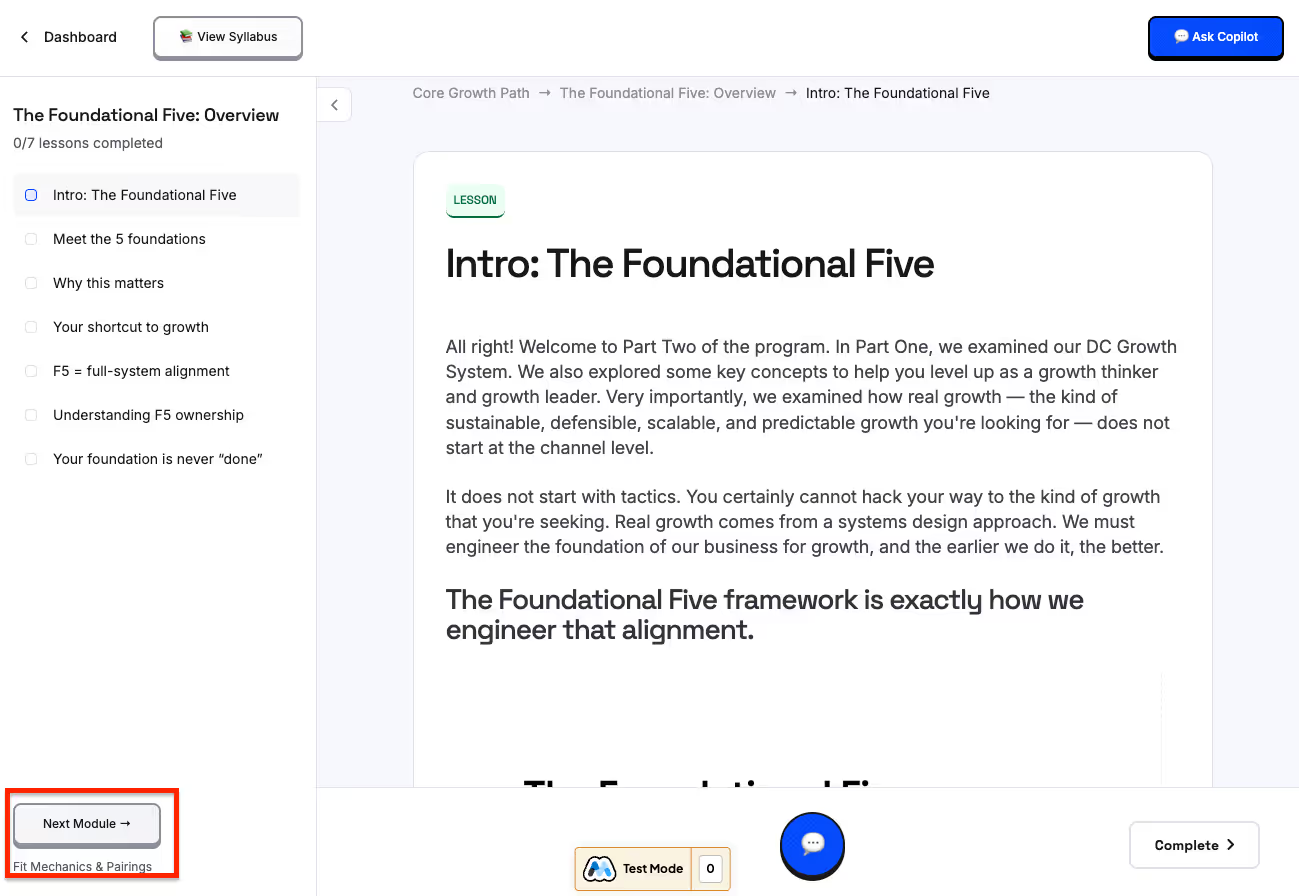
- Use Next in the viewer to stay linear
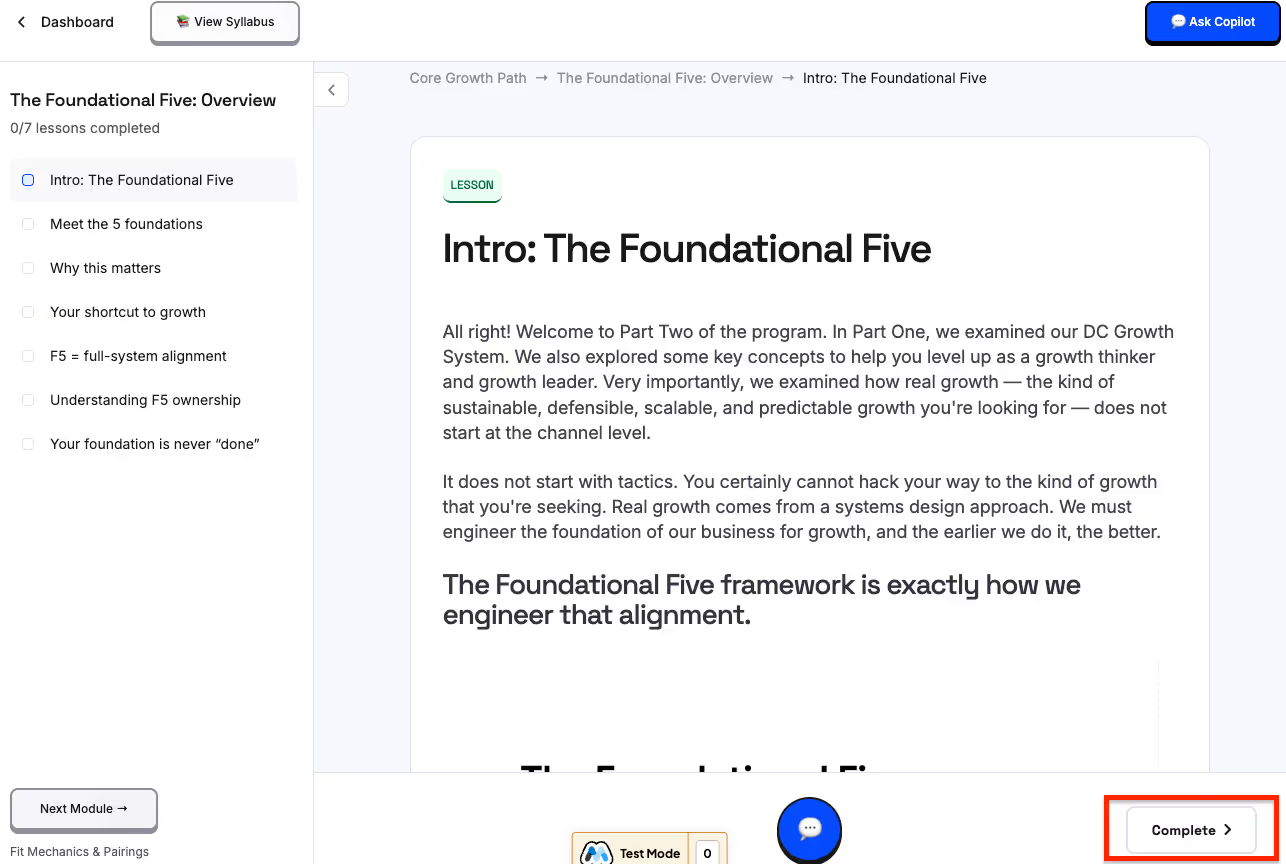
- Hit complete to track your progress whenever you finish a module in the course.
- Or go back to the Dashboard and pick what’s most relevant
👉 Paths are for clarity and confidence. They keep you from second-guessing what to do next.
🔎 Explore
Explore is where you’ll find the full curriculum, beyond just what’s in your path.
.avif)
Why use it?
- Maybe you’re in the B2B path, but you also want to peek at a B2C lesson like Google Shopping.
- Maybe you’re curious about a topic you’ll tackle later, like retention or CRO.
- Or maybe you just need a quick tactic outside your structured plan.
What you’ll see:
- Courses in your path are marked Active.
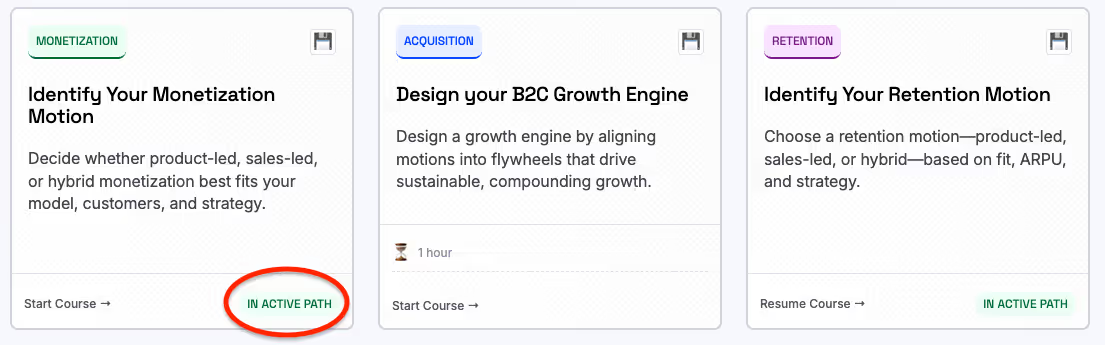
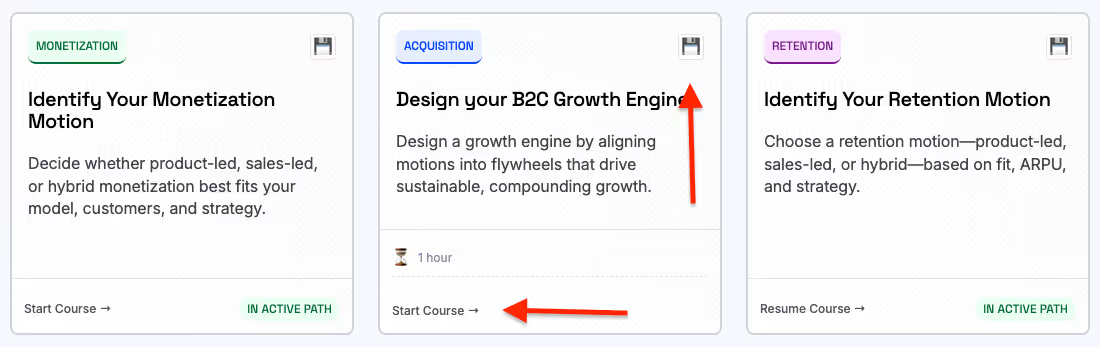
- If it isn’t in your path, it will be blank, but you can enroll in any course you’d like with one click (Start Course). Once you enroll, progress counts toward your path (if it’s relevant), or you can simply save it for later by clicking the “Save” icon.
- You can also filter by category—Acquisition, Conversion, Retention, Strategy, etc. Some lessons overlap categories (e.g. copywriting shows up under both acquisition and conversion). That’s intentional. Some skills apply across multiple categories so you’ll find crossover.
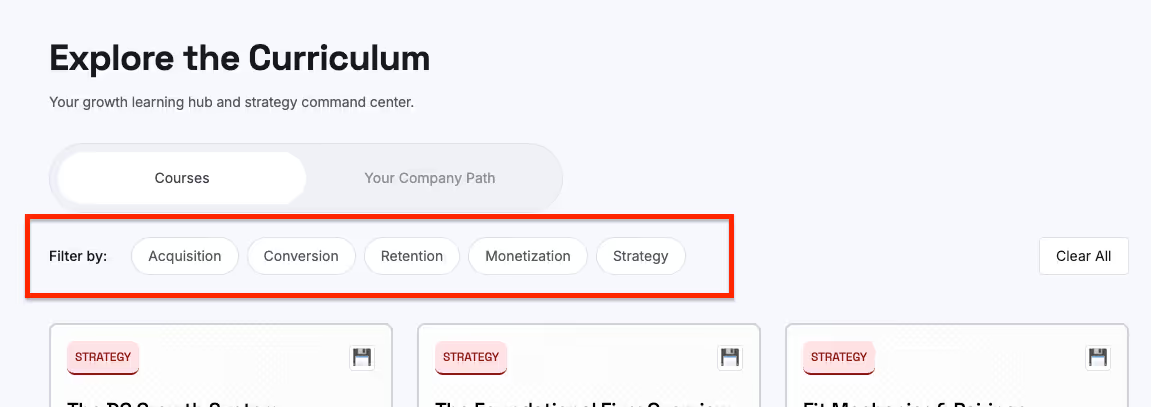
👉 Use Explore when you want control and flexibility, to go deeper on a specific channel, or to grab something right when it’s relevant to your business.
🗂 My Learning
My Learning is your personal workspace inside the program.
Here you’ll find:
- Active courses you’re currently working through
.avif)
- Saved courses you bookmarked for later
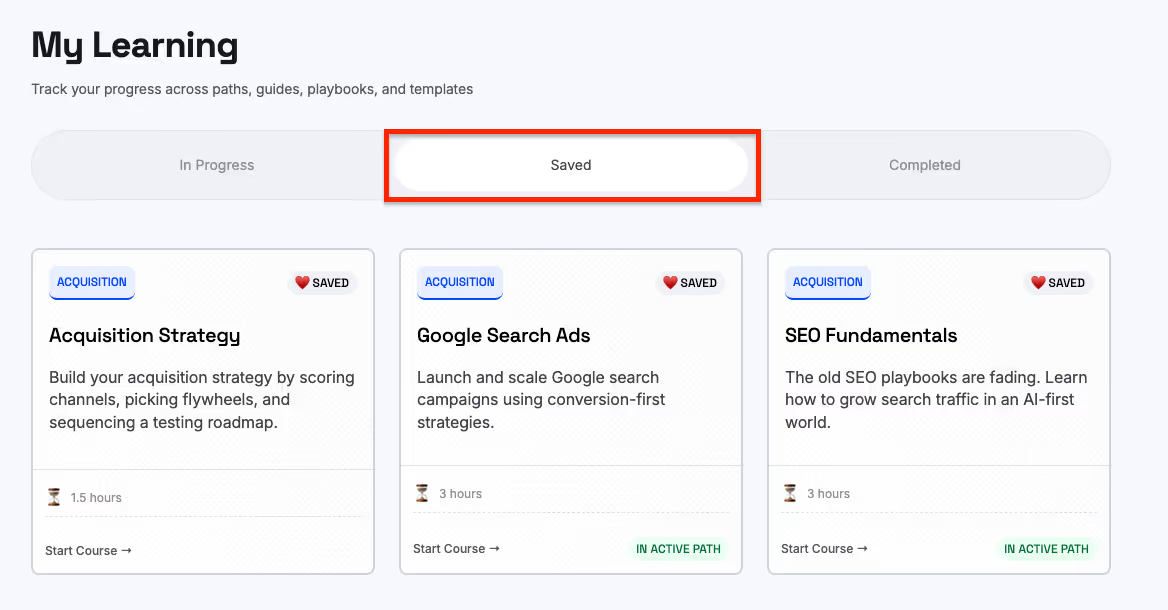
- Completed courses that are finished and ready to revisit
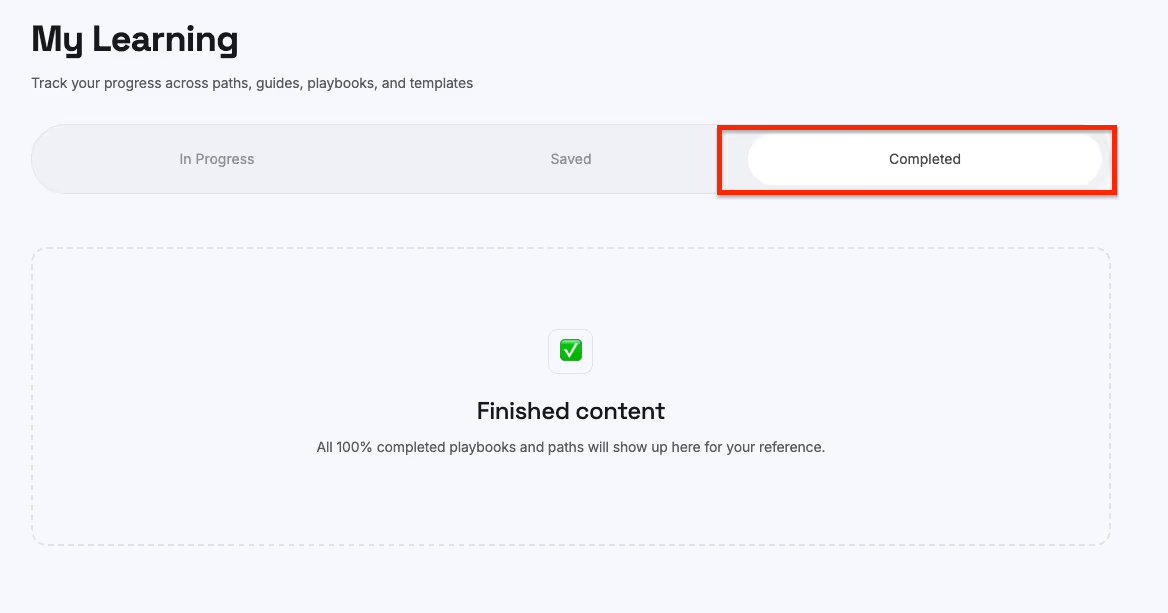
Benefits:
- You can always resume where you left off without digging.
- If a course ends up not being relevant, you can unenroll with one click—keeping your workspace clean and focused.
- Saved courses live here too, so whenever you’re ready to explore something new, it’s right at your fingertips.
👉 Think of My Learning as your organized desk. Only the things you care about stay in front of you.
🏛 The Vault
The Vault is your bonus library. This is everything outside the structured curriculum that adds leverage and can give you a better grasp of growth.
.avif)
What’s inside:
- Tactics Vault: bite-sized growth tactics (from our newsletter) you can apply right away.
- Ads Vault: curated swipe file of ad creatives to inspire your campaigns.
- Newsletter Archive: every issue we’ve ever published.
- Growth Guide: our “80/20” starter guide to growth if you want a quick overview before going deep.
- Matchmaking: direct access to pre-vetted freelancers and agencies who already know how to execute these playbooks.
- Perks & Deals: exclusive discounts on tools, sponsorship credits, and vetted partner offers.
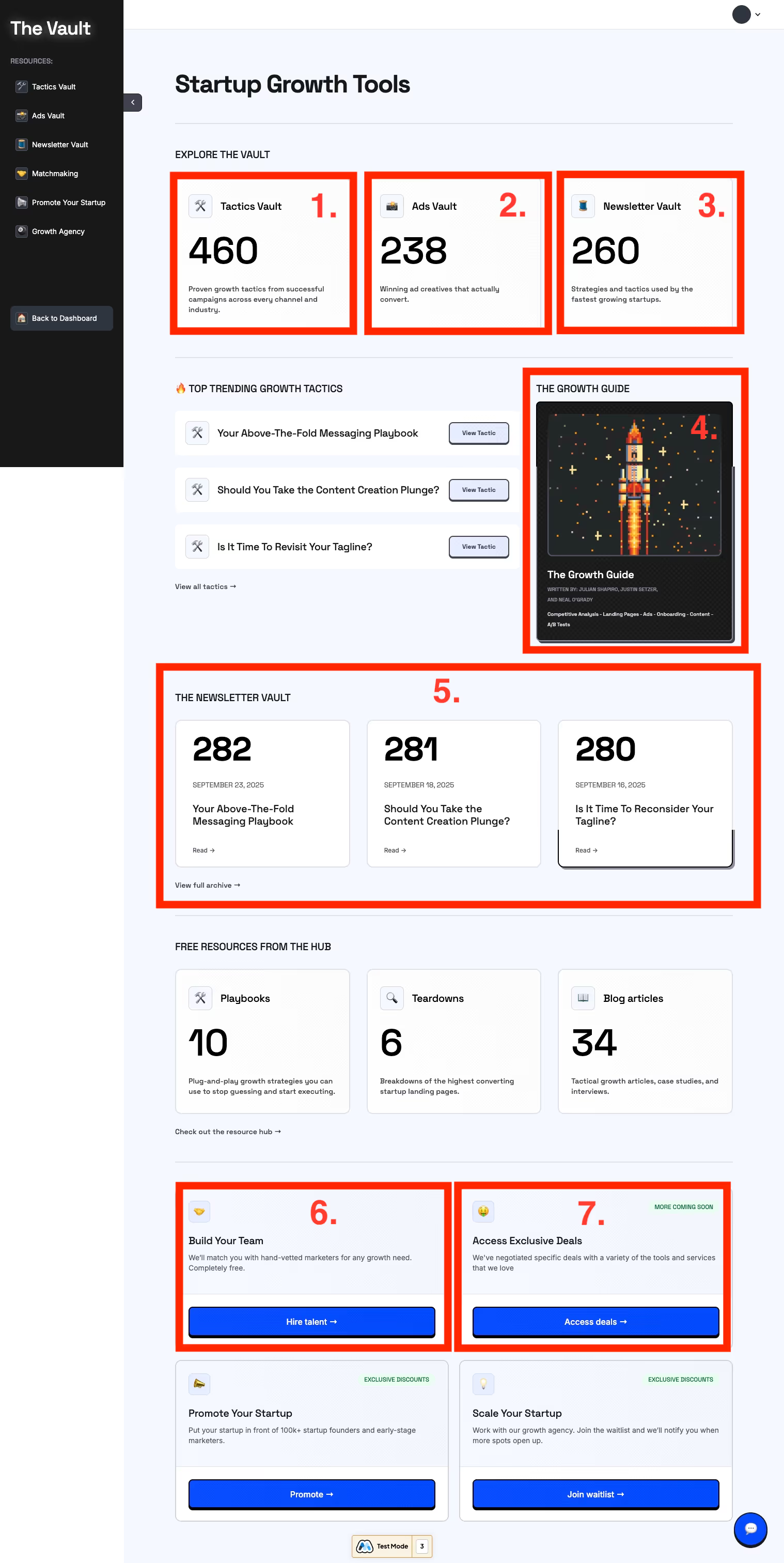
👉 Use the Vault whenever you need inspiration, shortcuts, or connections to accelerate what you’re building.
👤 Account Settings
Your profile is where you manage your personal and company details.
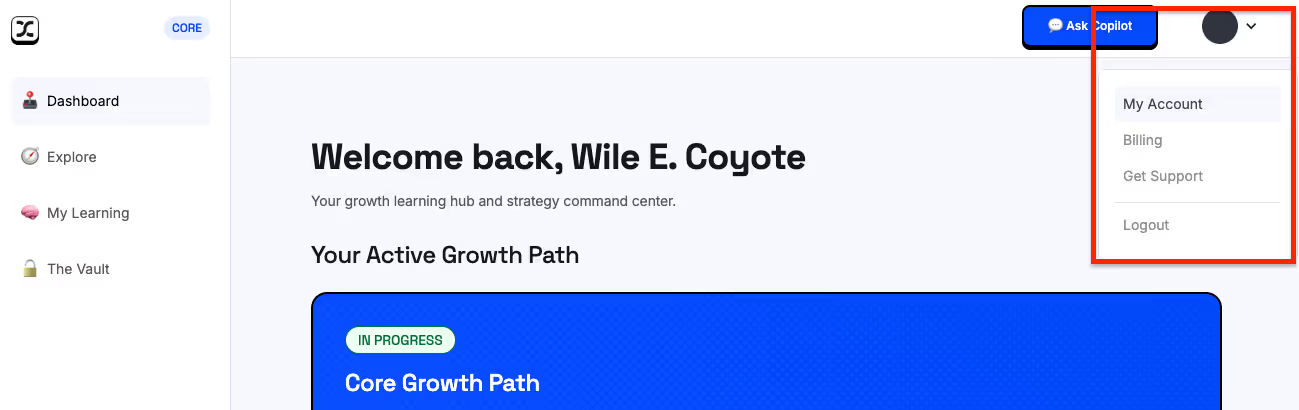
- Update your name, email, and photo
- Edit your company info (stage, growth goals, team size). This makes your AI Copilot smarter since it uses this info for context.
- Change password or billing info as needed
👉 Keep this updated—especially your company details—so the system (and Copilot) always give you the most relevant recommendations.
🤖 AI Growth Copilot
Copilot is your AI growth partner, built directly into the platform.
What it can do:
- Knows your onboarding info, your active path, and which lessons you’ve completed
- Trained on all of Demand Curve’s content (playbooks, lessons, tactics, and more) so the advice it gives will be consistent with the material (and what our team would recommend.)
- Acts like a smart search + growth advisor:
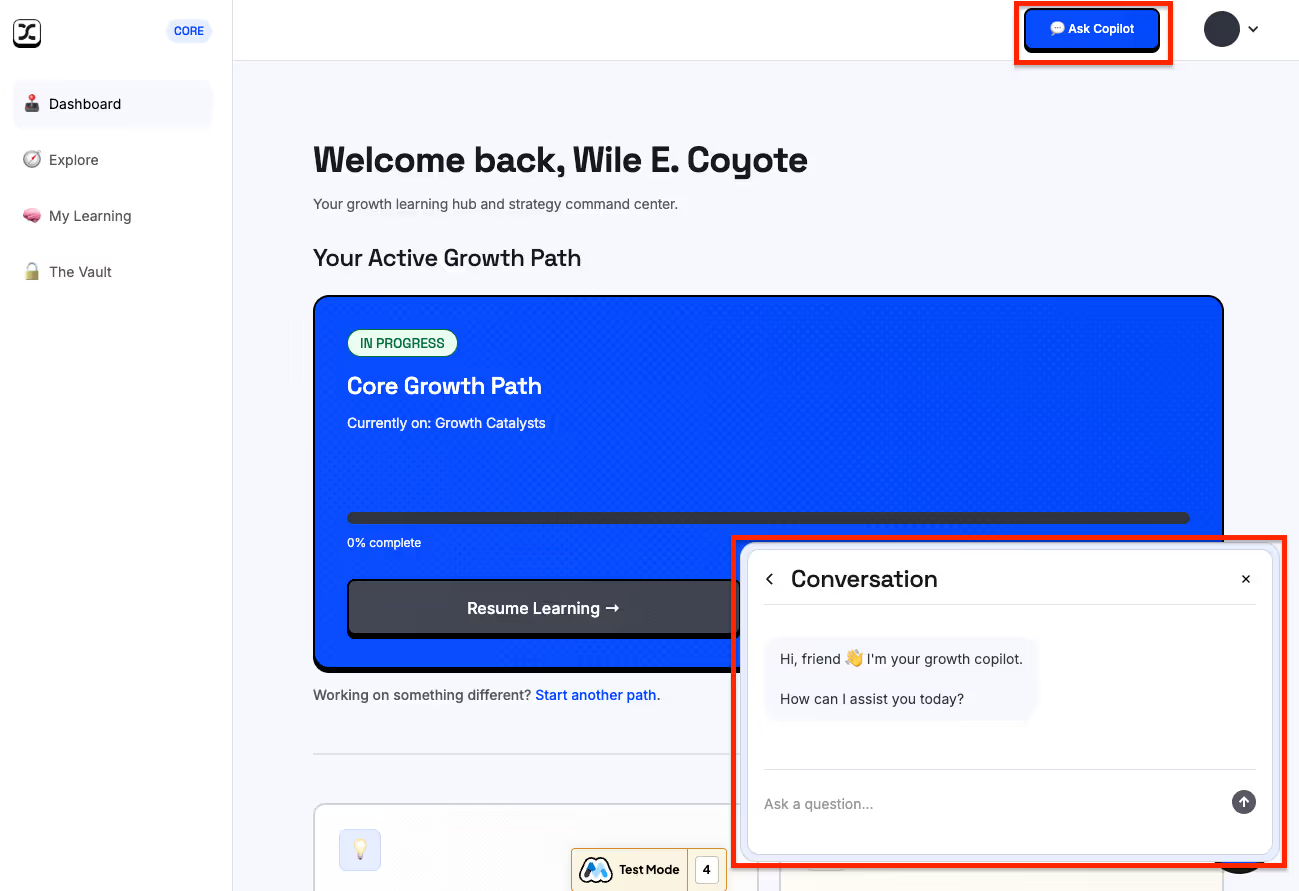
👉 Use Copilot when you want clarity, speed, or a second brain while working through your growth challenges.
🆘 Support
For help, you’ve got options:
- AI Copilot: best for curriculum and growth questions
- Support button (dropdown or widget): best for account, billing, or technical issues
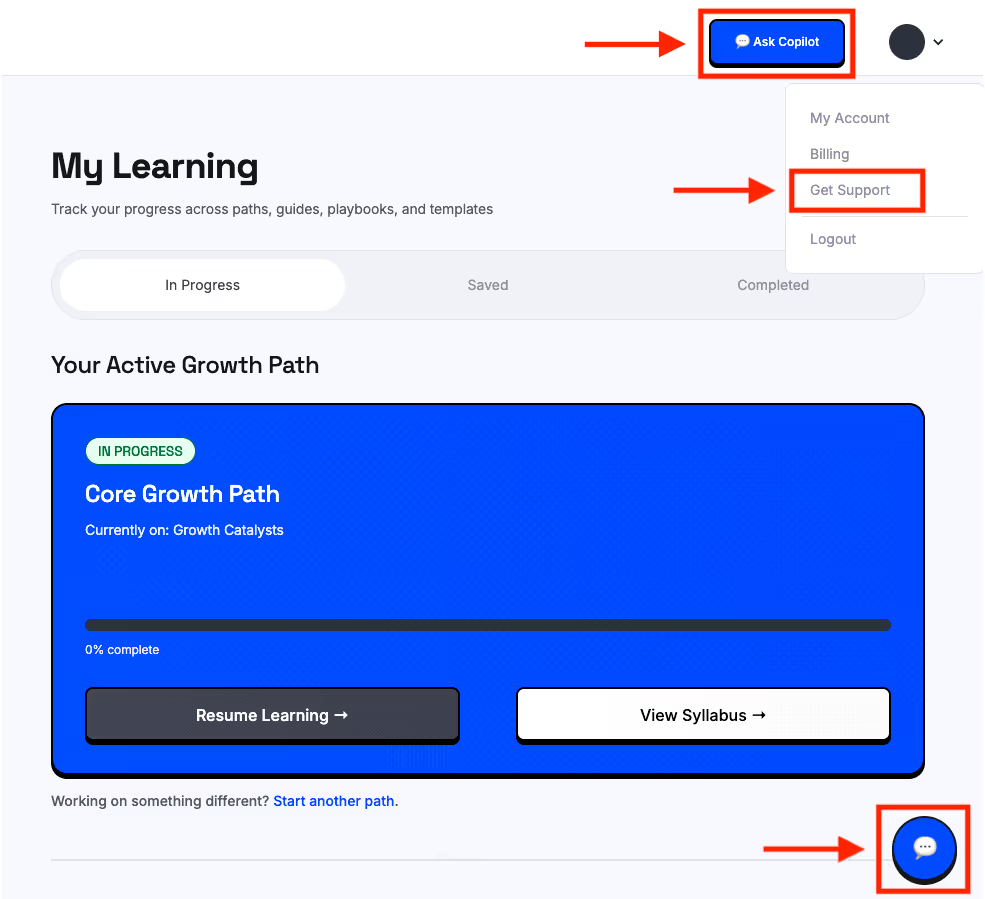
👉 The right help at the right time—without slowing you down.