

How much do YouTube ads cost?
YouTube ads cost on average anywhere between $0.03-$0.30 USD per view. That price changes depending on the following factors:
- Bidding
- Targeting
- Quality score
- Ad formats
Let’s explain each, and why they matter so much.
Then I’ll provide important context for how to get the most out of your YouTube ad spend.
Cost factors
Bidding
YouTube’s ad placements work like most of Google’s ad products: through a bidding system. How much YouTube advertising costs depends on how much other people are bidding for the same ad placement.
Typically, you’ll be bidding on a cost-per-view (CPV) or cost-per-thousand (CPM) impressions basis for YouTube video ads, in which you’re only charged if a viewer watches the ad for longer than 30 seconds or interacts with the ad.
With some ad formats, you can pay-per-click (PPC). It doesn’t matter how many people see your ad. You only pay for the people who actually click on it.
Remember to set a daily budget for your marketing campaigns to make sure you don’t spend more than your budget allows for.
Targeting
You want to use YouTube’s targeting options to show your video advertising to the people most likely to care about it. Targeting affects your cost because some audiences are much more expensive to market to than others.
Here are the different ways that you can target potential customers on YouTube:
Demographics
You can show your ads to people based on their age, gender, and household income. You can use detailed demographic targeting to show your home insurance ads only to homeowners.
Interests
Choose which audiences you want to show your ads to based on their habits and interests. So you can market your smart thermostat to a target audience comprised only of home automation enthusiasts.
Life events
When someone goes through a major life event like moving or getting married, they’re in the market for things they weren’t interested in before. You can show ads for your career development seminar only to people who are graduating from college.
In-market audiences
Google can tell when someone is researching products and is in the consideration process for buying a product similar to yours. Target in-market audiences to reach people most likely in the mindset to buy from you.
Video remarketing
Show ads to viewers who have already seen your videos, ads, or YouTube channel. Use video remarketing to inexpensively reach customers who have already come in contact with your brand and are more likely to do business with you than users who haven’t seen your videos.
Placements
You can specify which YouTube channels and videos you want to advertise on. So you can advertise your gaming keyboard on specific e-sport YouTube channels.
Topics
Show ads for your workout plans to people watching fitness videos.
Keywords
Choose related phrases to a YouTube video or channel that your market might be interested in. You can also choose negative keywords to keep your ads from showing up on unrelated videos.
Devices
Target based on the device someone is using to access YouTube. It probably isn’t worth showing ads for your iPhone game on Android devices.
Quality score
Google rates your video ad based on how relevant it is to the audience you’re targeting. They determine this by looking at how many people actually watch and engage with your ad.
The more people like it, the more Google believes your ad is relevant to your audience and that in turn increases your quality score. The higher the quality score, the less Google charges you for running the ad.
Ad formats
Each YouTube ad format is priced differently — and not each is right for you. In the next section, we’ll look at each and how they’re priced.
Ad formats
Display ads
These are the desktop-only ads that show up to the right of a YouTube video:
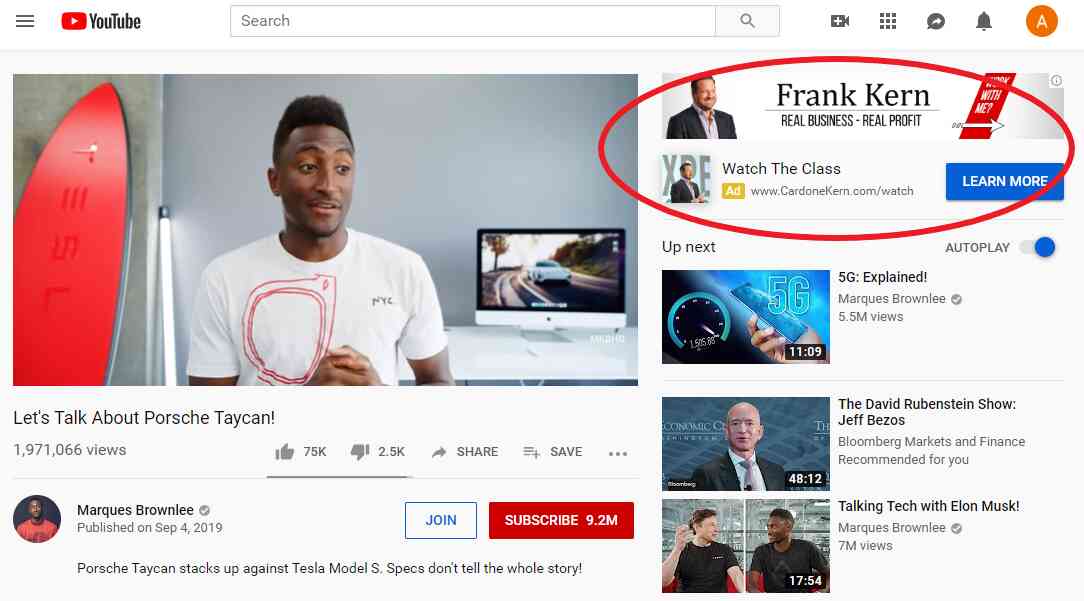
You can pay for each click or based on the cost-per-thousand impressions.
People see display ads like online billboards and reflexively write them off as advertising. To have a chance of getting someone to leave the video they intended to watch and instead click your ad, it needs to be extremely relevant to them.
The best way of using display ads is to use them for retargeting, or showing your ads to people who have already visited your website. Because they’re already familiar with your brand, they’re much more likely to engage with your ads.
Overlay ads
Semi-transparent ads that hover over the bottom fifth of the main YouTube video.
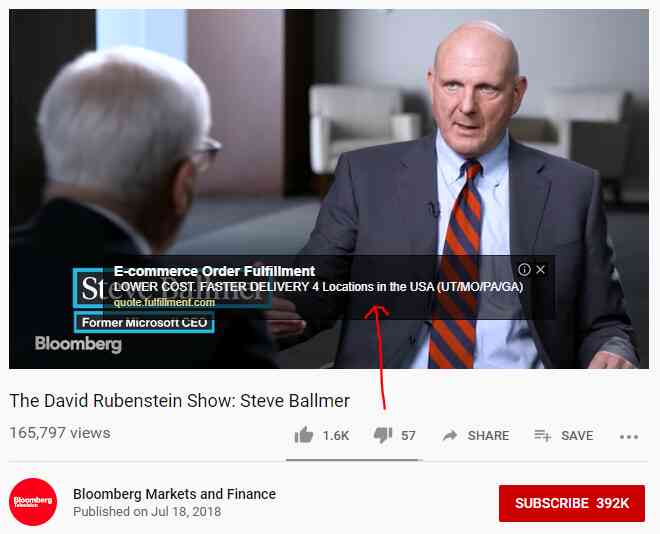
They only show up on desktops. So they won’t work well for mobile-only products like iPhone apps. They also have limited screen real estate and are restricted to small images and text.
The way to get the most out of overlay is by writing extremely targeted ad copy with a clear call to action to the audience you’re trying to reach. This ensures that the clicks you get are actually interested in what you’re marketing.
TrueView in-stream video ads
These ads show up before, during, or after a YouTube video. After 5 seconds, the viewer can choose to skip it.
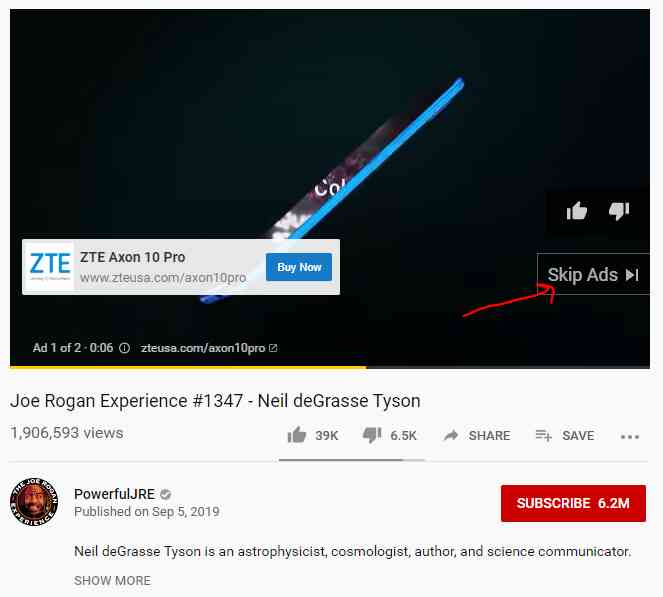
Advertisers only pay for a view when the in-stream ad is seen for 30 seconds or more. Or if the ad is clicked.
Pro tip: Include your company’s name within the first five seconds of your video. Even if someone skips your ad, you’ve still made them aware of your brand. And you didn’t have to pay for it.
TrueView discovery ads
These ads show up in the search engine results on YouTube. They also show up as related videos to the main video someone is watching.
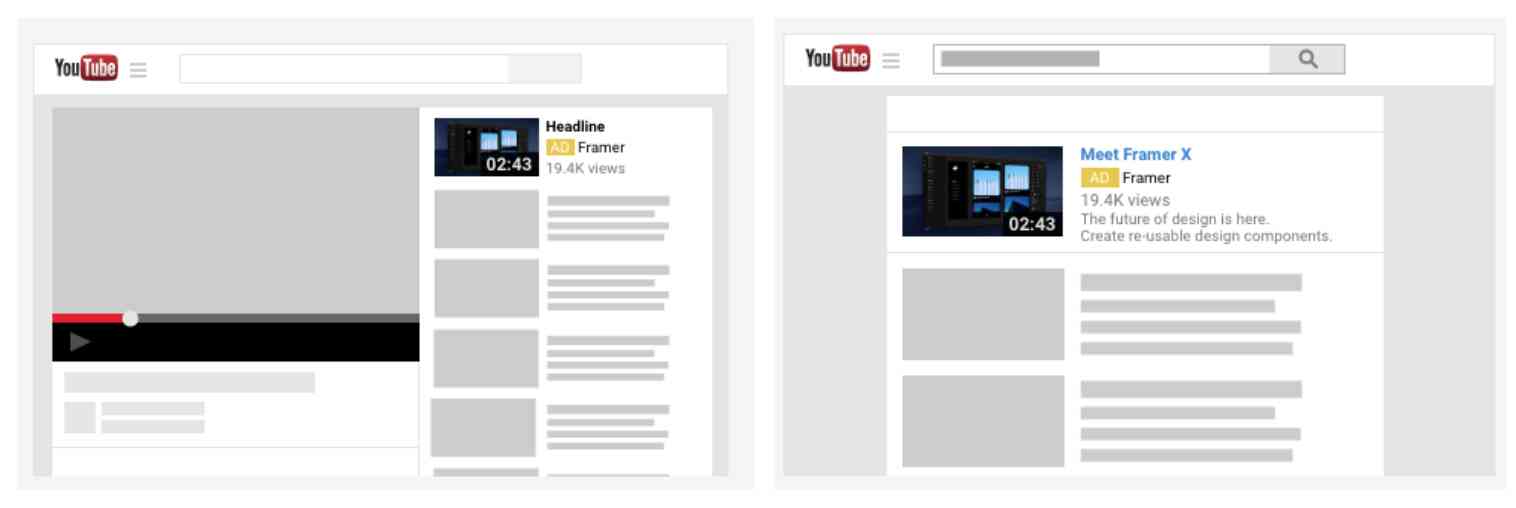
You pay for each click on your ad, regardless of how long someone watches it. So, make sure your ad is transparent and self-evident.
If you make something clickbaity that doesn’t actually reflect what you offer, they’ll bounce after clicking. And you’ll have paid for that click.
Non-skippable video ads
These 15 to 20-second ads can’t be skipped and can be placed before, during, or after a YouTube video. The viewer has to watch the whole ad before they can watch their video. This guarantees people see your ad.
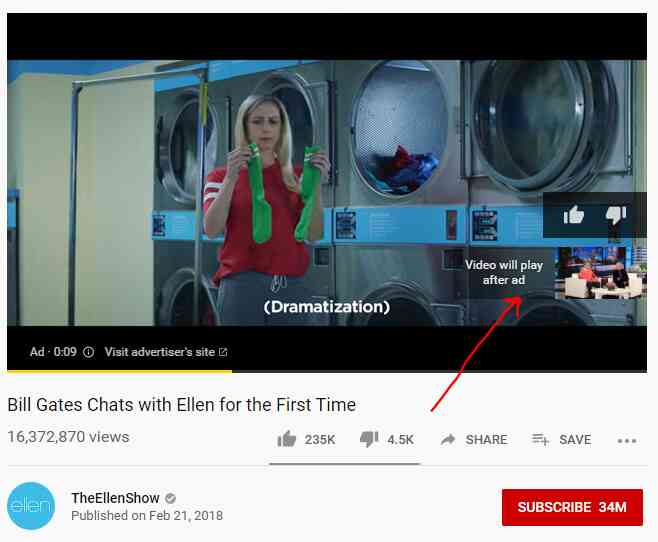
The problem? It’s expensive. You pay every time someone watches the ad, and you’re paying to show it to people who may not even want to see it. This is why you typically want people to be able to skip your ads. You don’t want to pay for people who can’t care to listen to what you have to say.
Bumper ads
YouTube viewers can’t skip these ads, but they’re only 6 seconds long.
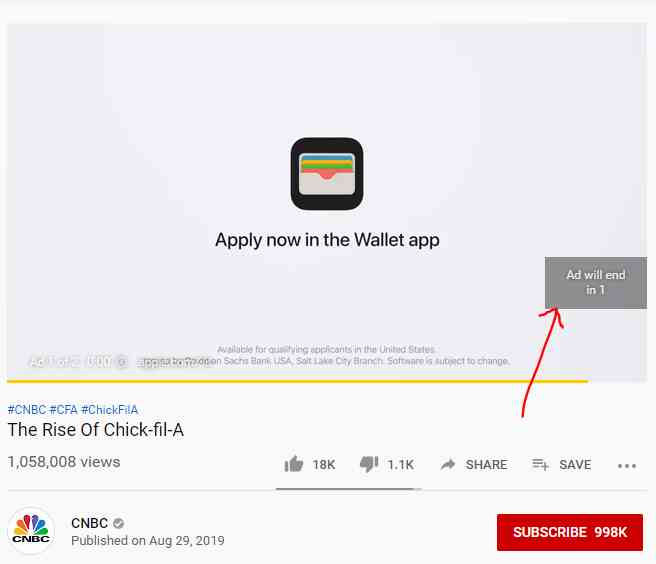
The bidding for bumper ads is based on cost-per-thousand impressions. Since you only have 6 seconds with this ad format, design the ad around a call-to-action: quickly explain why the viewer should click the ad and what they’ll get out of it.
Need help running YouTube Ads? Ad Labs is the ads agency for startups.