If your social feeds are anything like mine, you’re not only seeing more visual content made with AI, you’re also seeing more content about how to make images and videos with AI.
The world of AI image and video generation is evolving so rapidly, and we’ve certainly entered the era where these new visual possibilities are no longer restricted to experts.
Since the tools are getting smarter and way more user-friendly, we thought it might be a good time to touch on AI image generation.
Demand Curve has always believed in showing, not just telling. This way, our community can better understand how to implement strategies and tactics like these when it’s time to.
In that spirit, today we’re sharing a few basic tips and use cases you can turn around and use for yourself.
It also seems like a good time to remind you the waitlist for the Growth Program 2.0 is still open. If you want your best shot at early-bird pricing (starting at 50% off) and early program access, then join the waitlist today. Waitlisters will get the chance to sign up before anyone else on September 9th. Spots are limited, so make sure to be at the front of the line.
Let’s get to it.
— Gil

Brought to you by TLDR – Where Ads Cut Through Noise & Deliver $1M+ in Pipeline
If you feel like your ads are shouting into the void, see what happens when they aren’t.
Delve, a compliance automation platform, needed to reach founders at the precise moment they were actually paying attention.
So they went straight to TLDR’s high-signal newsletters, where the right people pause and lean in.
The result?
- The first TLDR-driven deal returned 5× the cost of the placement
- In total, the ads generated $1M in pipeline
- Overall, they saw a 52× return on investment
52× ROI doesn’t come from shouting the loudest. It comes from finding a channel where your message is actually heard.
Read the case study to see how Delve did it, and how your business could too.

Insense
Bought to you by Insense - A platform to streamline UGC and influencer marketing workflows or fully managed services if short on time.
More than just a UGC platform, Insense also provides fully managed services to save you 20+ hours per month.
Including; fully managed product seeding campaigns, end-to-end influencer management, TikTok Shop affiliate campaigns, monthly ready-to-use UGC video ads, and more!
DC readers are getting up to 10% off their agency services until September 19th. Book a free strategy call now to claim it.
Tips & Use Cases for AI Imagery
Insight from Gil Templeton — Demand Curve Staff Writer
Before we get down to the nitty-gritty, let’s cover our bases with three big-picture pieces of advice on AI image generation. FYI, most of today’s lesson will draw from my personal experience with Midjourney, ChatGPT’s Sora, and just a little time with Google’s all-new Nano Banana.
Tip 1: Iterate. Iterate. Iterate.
If you’re new to this world, it’s easy to be impressed by your first shiny output, and it’s tempting to assume it’s good enough. But try to think of AI as an iterative tool that can help you work toward a desired outcome, not a magic “make it” button.
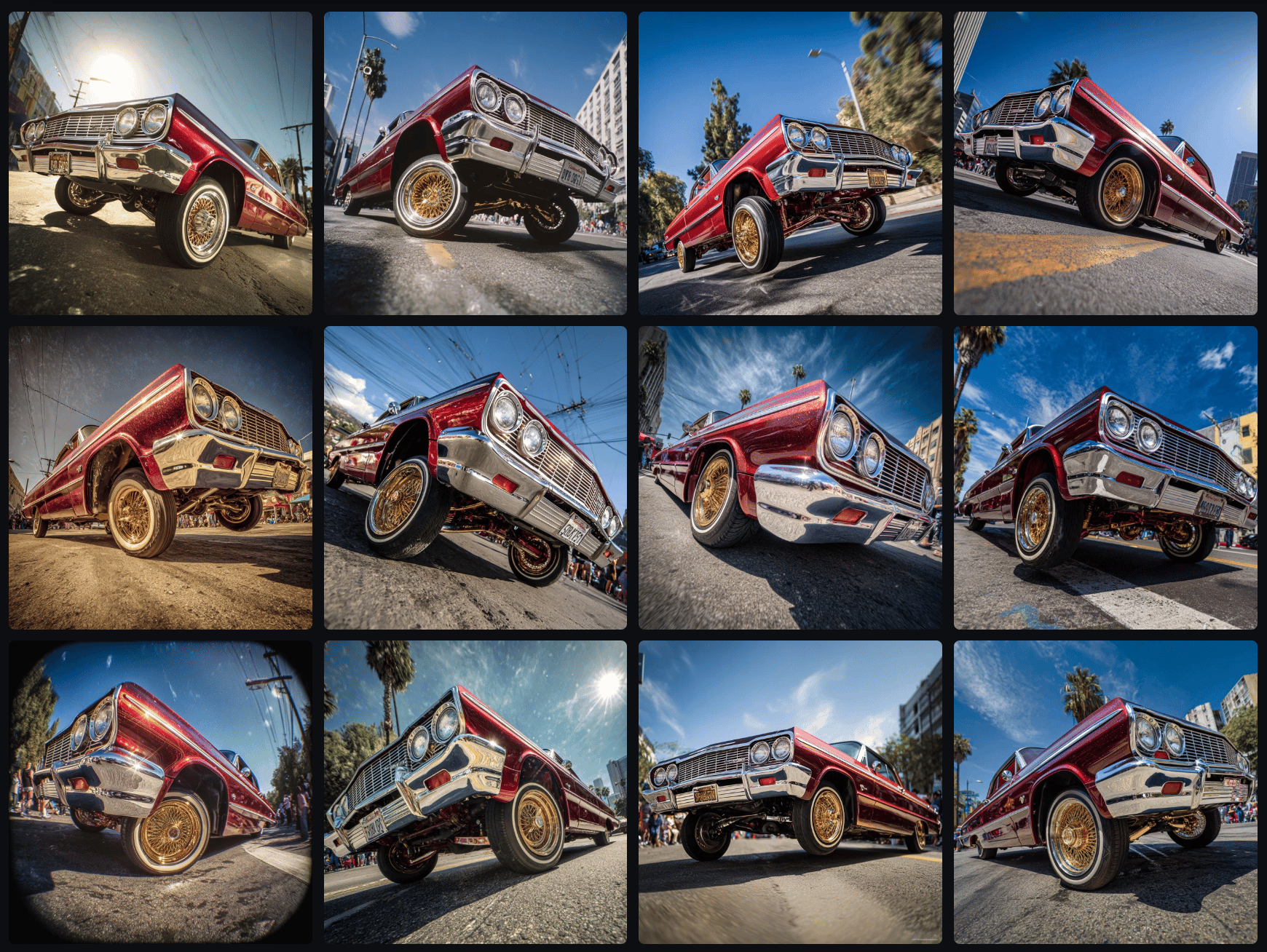
For example, I’ll often run the same exact starter prompt three times in Midjourney, which gives me twelve unique outputs. Seeing twelve potential paths all next to each other helps me weigh my options and choose the best starting point.
Sometimes you might see an outlier or a “happy accident” that wasn’t what you originally intended, but it ends up being your preferred output.
Other times, the majority of your outputs might fall flat or have something “lost in translation” like the example below. Only two of the twelve images (barely) understood my prompt of the front tires bouncing in the air, even though I explicitly stated that note in the prompt.
Of course iterating doesn’t stop there. As you keep refining, honing, coaching, and editing, you’ll need to keep weighing your options as you work toward a quality outcome.
Another important note: free trials are great for a quick test drive, but the credit limits can make you feel hesitant to experiment. I recommend starting with the lowest-tier paid plan to initially remove that gate, so you can feel free to iterate and get better instead of being precious about each output. It made a big difference for me.
Tip 2: Inconsistency kills
It’s not too hard to get an awesome one-off image. What’s harder is building a collection of visuals that all feel like they belong to the same brand or campaign. If someone visits your site or socials and sees a range of disparate, inconsistent visuals, you risk looking like an amateur operation.
One of the best ways to combat inconsistency is to create (and continually update) a library of reference images for certain projects or clients. Feeding these platforms strong references (whether it’s your past campaign shots, product imagery, or a specific artist’s style) provides important guidelines.
I’ll often take a “hero” image that nails the look and use it as a visual anchor, referencing it across multiple generations. For example, here’s an image I captured on a shoot (with the help of talented photographer Dan Escobar). Let’s say I wanted to re-use this image’s style for some new executions.

By uploading the reference image above to Midjourney as a "style reference," I can create a consistent, complementary image like the one below (after a little finessing, of course).

It might not be quite as amazing as the actual shot from a world-class photographer. But let’s compare that to the inconsistent output below, where I used the exact same prompt, without a reference image. This one would certainly clash with the first image(s) if you used it in the same campaign or webpage.

Midjourney also supports SREF codes, which allow you to create or choose an existing “Style REFerence” so every output has a similar vibe. This can save you hours.
Without these kinds of guardrails, you’ll get varying results: one output that looks on-brand, another that looks like weird AI stock imagery, and another that looks like it belongs to a different brand.
But a strong reference library and consistent style inputs will help you string together dozens of outputs that look cohesive and intentional.
Tip 3. Ask yourself the hard question
AI image & video generation is incredibly powerful and increasingly useful. However, it’s not the answer for every visual need out there.
People might rush to assume they never have to pay for a photoshoot again, or that users won't care if something is slightly unsettling/off-kilter in an AI-generated visual.
But before using AI-generated images (and videos) for your business, ask the hard question: Is this elevating how my brand is seen? Or cheapening it?
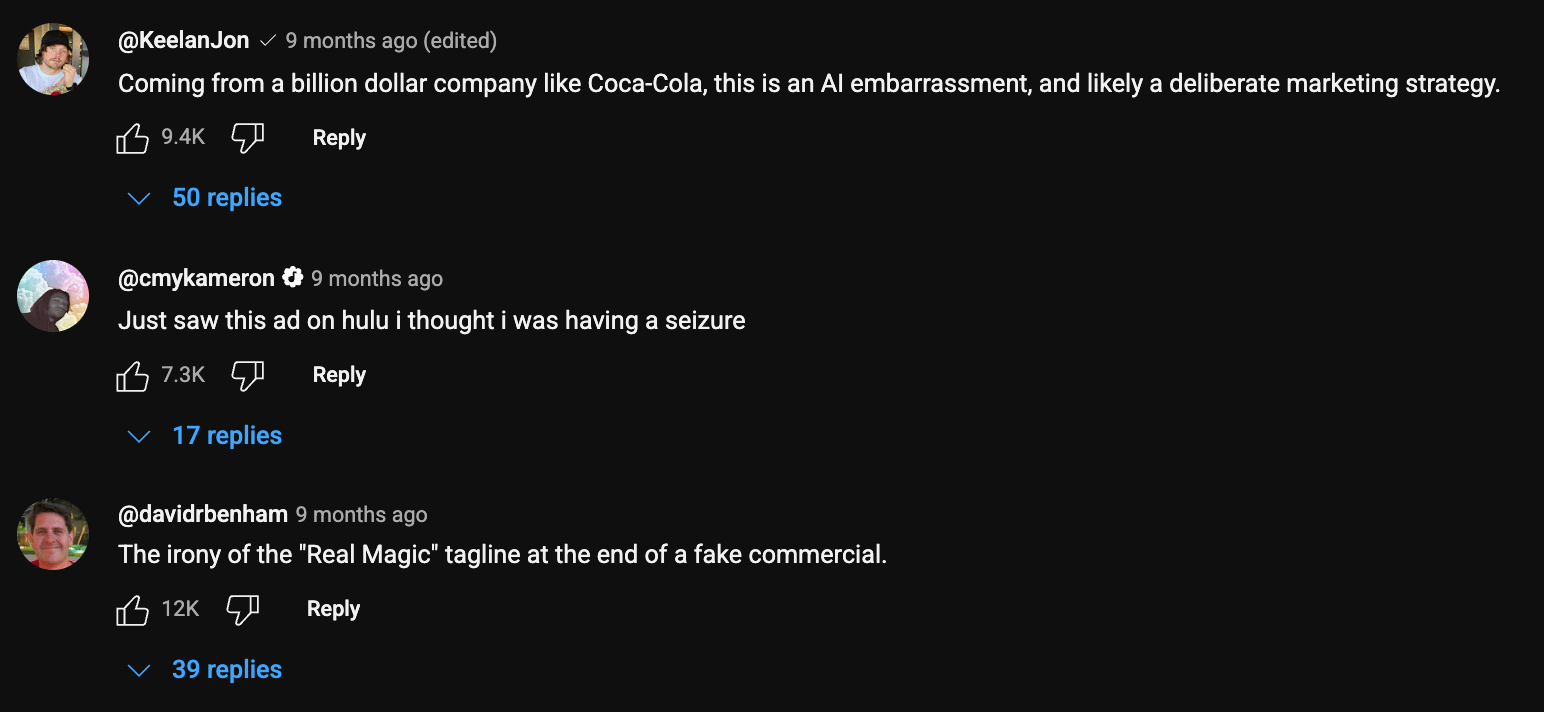
Big companies have made this mistake and seen the backlash. Vogue caused an uproar by allowing GUESS to run a magazine ad featuring an AI model. A24’s AI-generated promo materials for Civil War were replete with obvious AI “tells.” Coke’s AI 2024 holiday ad was a little unsettling, just look at the top comments on the YouTube video.
Sure, big companies are under more scrutiny to hit a higher standard, because they’re more visible and have more money (presumably to pay artists, talent, production houses, etc.). Smaller startups and tech-forward brands probably have more leeway, but without holding your outputs to a high standard of quality and consistency, it can erode trust and make you look cheap.
Context is everything here. If you’re an AI gaming startup and you generate a hyper-real dreamscape visual to use in a paid ad, you’re gravy. But other industries like healthcare, fashion, finance, and even food & bev can carry higher stakes.
I’m not saying you shouldn’t use AI-generated assets in these industries, but hold yourself to a high standard, and make sure you don't mislead. Missteps can damage trust and even invite regulatory heat.
Now let’s get into some relevant, simple use cases for how you can use AI to elevate your brand.
Use Case 1: Eye-Catching Product Photography
AI excels at transforming a flat, forgettable product shot into something entirely more beautiful or interesting. If you have a clear image of your product on a plain background (or maybe you already have a great image you’re looking to augment), you can take that “seed” and reimagine it across lifestyle scenes, hyper-stylized backdrops, and more.
In my experience, ChatGPT’s Sora does a great job of respecting the details and integrity of the product while inserting it into new contexts, so that’s what I’ll be using in these first two examples. There are other great options as well.
When you’re doing this, I would describe the scene you want to ChatGPT (or another chatbot of choice), and ask it to return a Sora prompt for you to use. Just as important as the prompt is the negative prompt (where you tell it not to distort the label, warp the text, etc.) so make sure you ask for a negative prompt to preserve your product’s integrity. And iterate, as always.
For these two product examples, I’ll be using this one mockup of my BBQ seasoning jar as my reference image (label made by a designer, but mocked up with AI). The label contains tons of small, hand-drawn details which is a challenge Sora still gets 99% right.
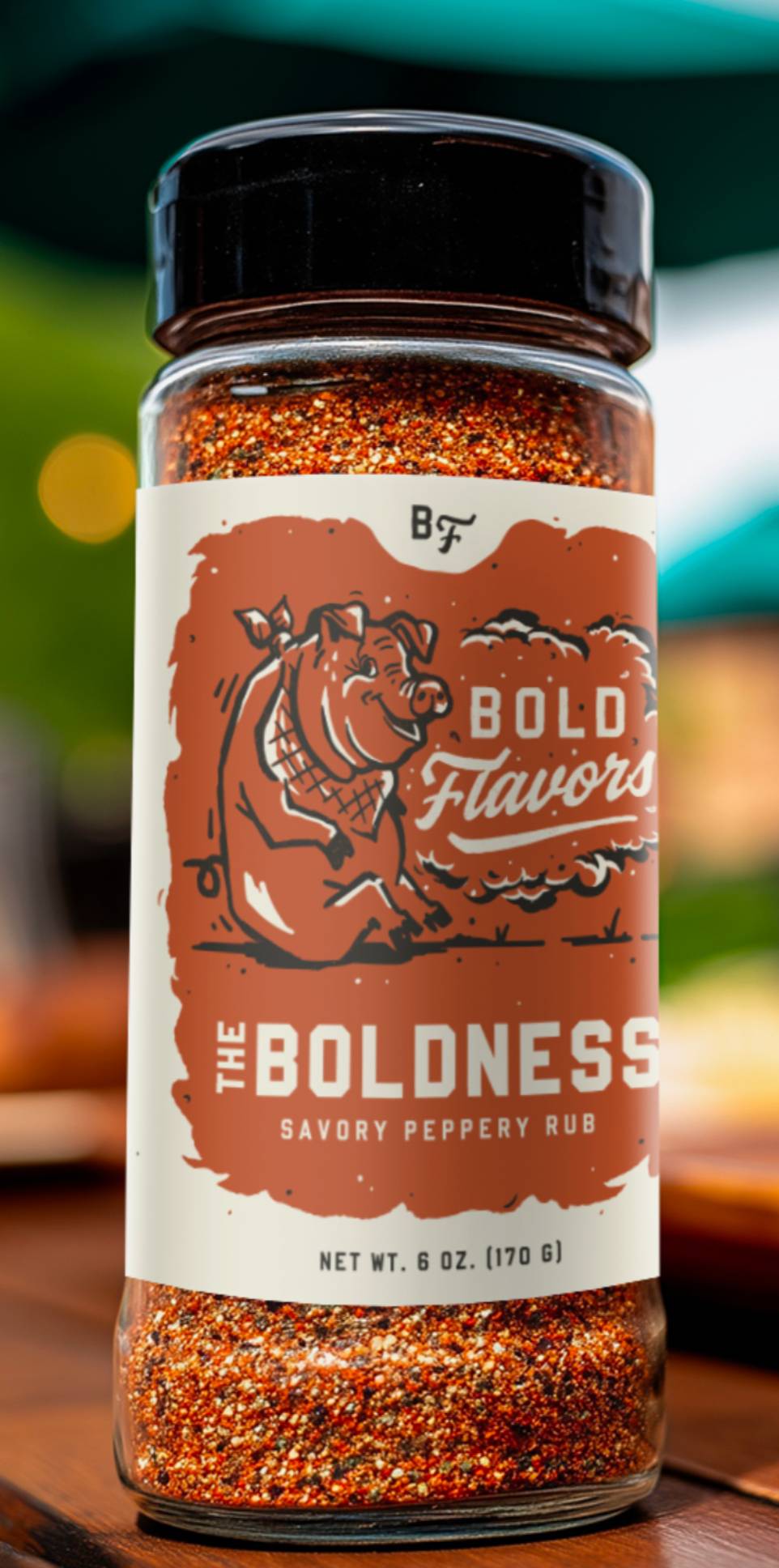
Example 1: Lifestyle Drop-In
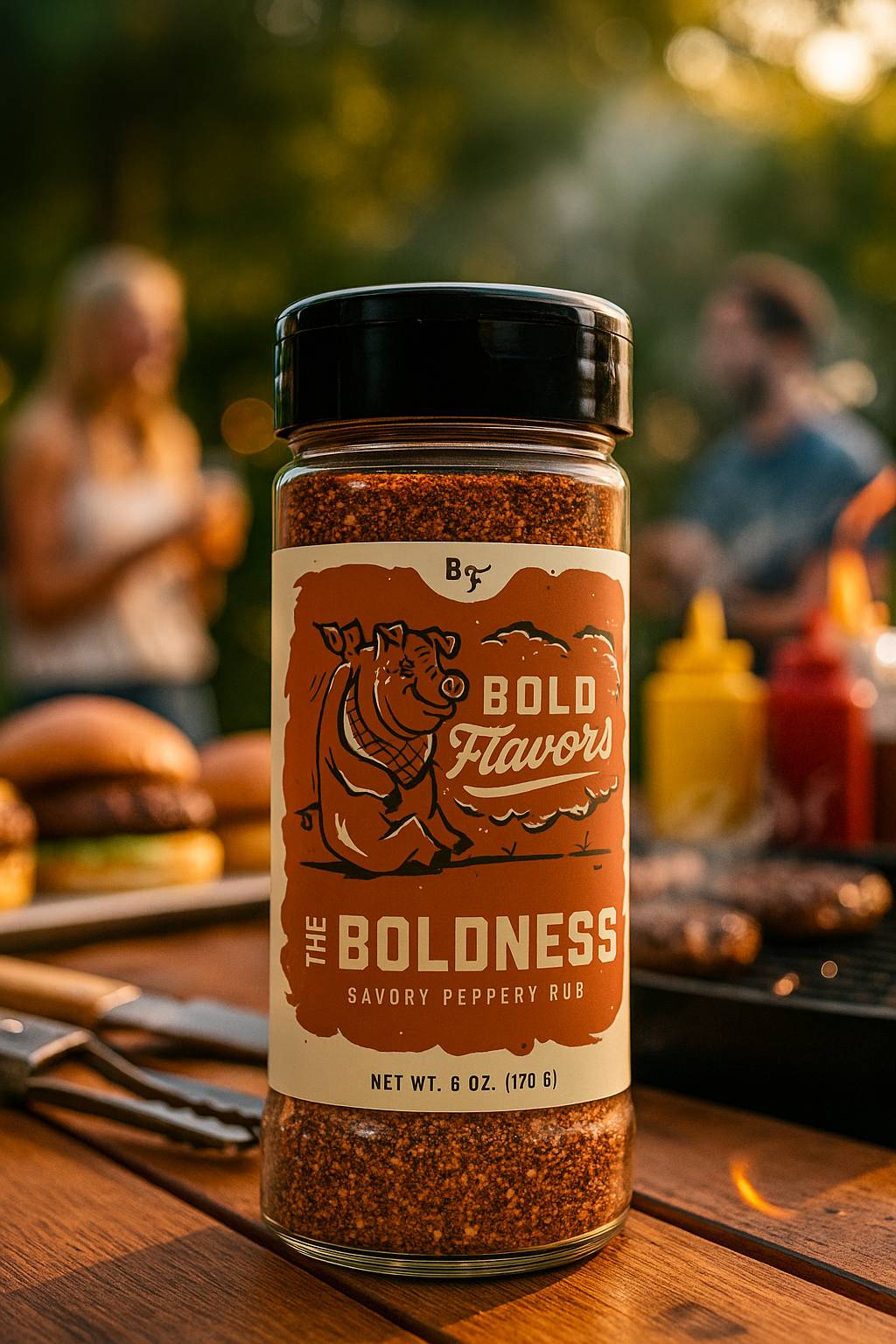
Example 2: Surreal Brand World
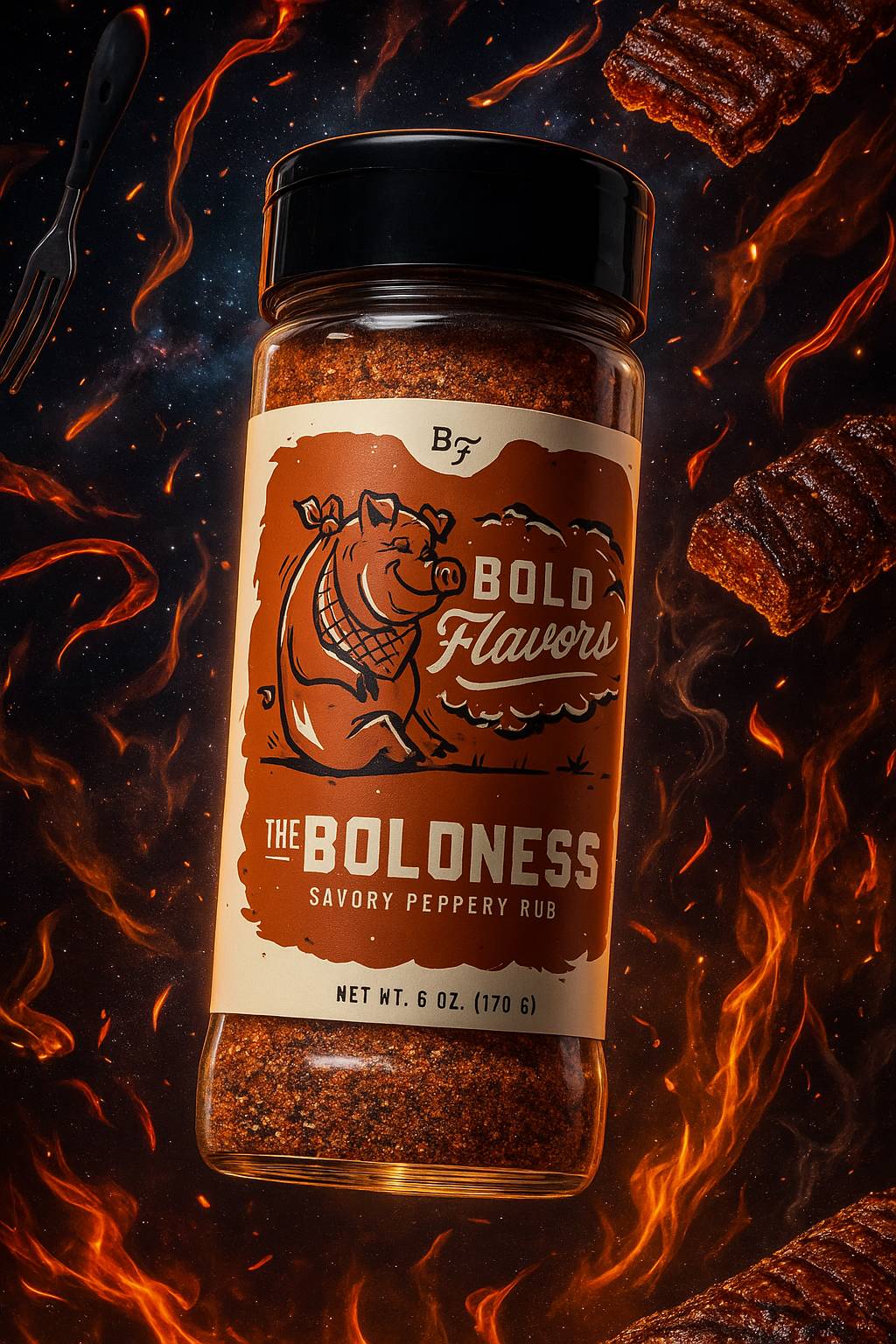
Use Case 2: Professional Portraits & Headshots
This one is increasingly practical for remote teams (or individuals) who want to come across consistently and professionally.
On your “Meet the Team” pitch deck slide or your “About Us” page on your site, inconsistent headshots with different lighting, backdrops, and angles don’t exactly look polished or convey professionalism.
Even if you’re a solo freelancer, it helps to have a professional-looking headshot to represent yourself wherever people might see your avatar online: your LinkedIn page, portfolio, Gmail profile picture, featured image in press coverage, etc.
Below are two varying examples (an artistic portrait and a more typical corporate headshot) that can turn a regular old photo into something more impressive.
For these two examples, I’ll be using this photo of me below as the reference image. I used Sora to generate my examples here as well.

Example 1: High-Contrast Portrait
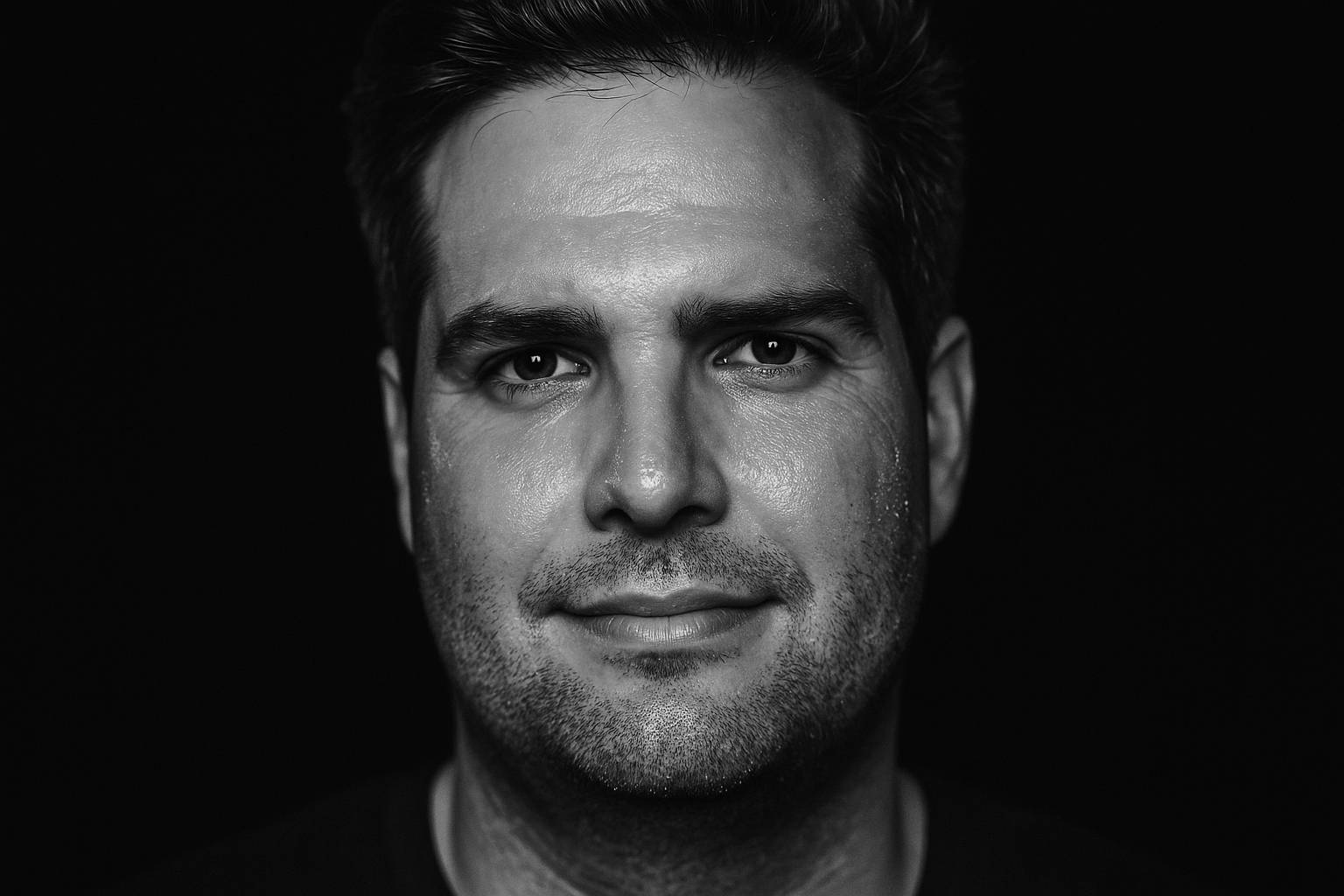
Example 2: Corporate Headshot

Use Case 3: Un-Stocking Photos
Whether it’s key visuals to complement text in a pitch deck, website imagery, a background on a headline-driven ad, or whatever else, sometimes you need images to do stock image-ish things.
Using AI instead of stock helps you circumvent typical stock licensing expenses while letting you build equity in a look that’s yours to own.
This is a case where a consistent style is absolutely key. The more you can own a defined, unique art direction lane, the more artful and high-end your assets will feel.
In this example, we’ll be looking at more abstract images, not ones featuring real products or humanity like prior examples. Think of this use case as a way to avoid and/or plus-up images like the one below.
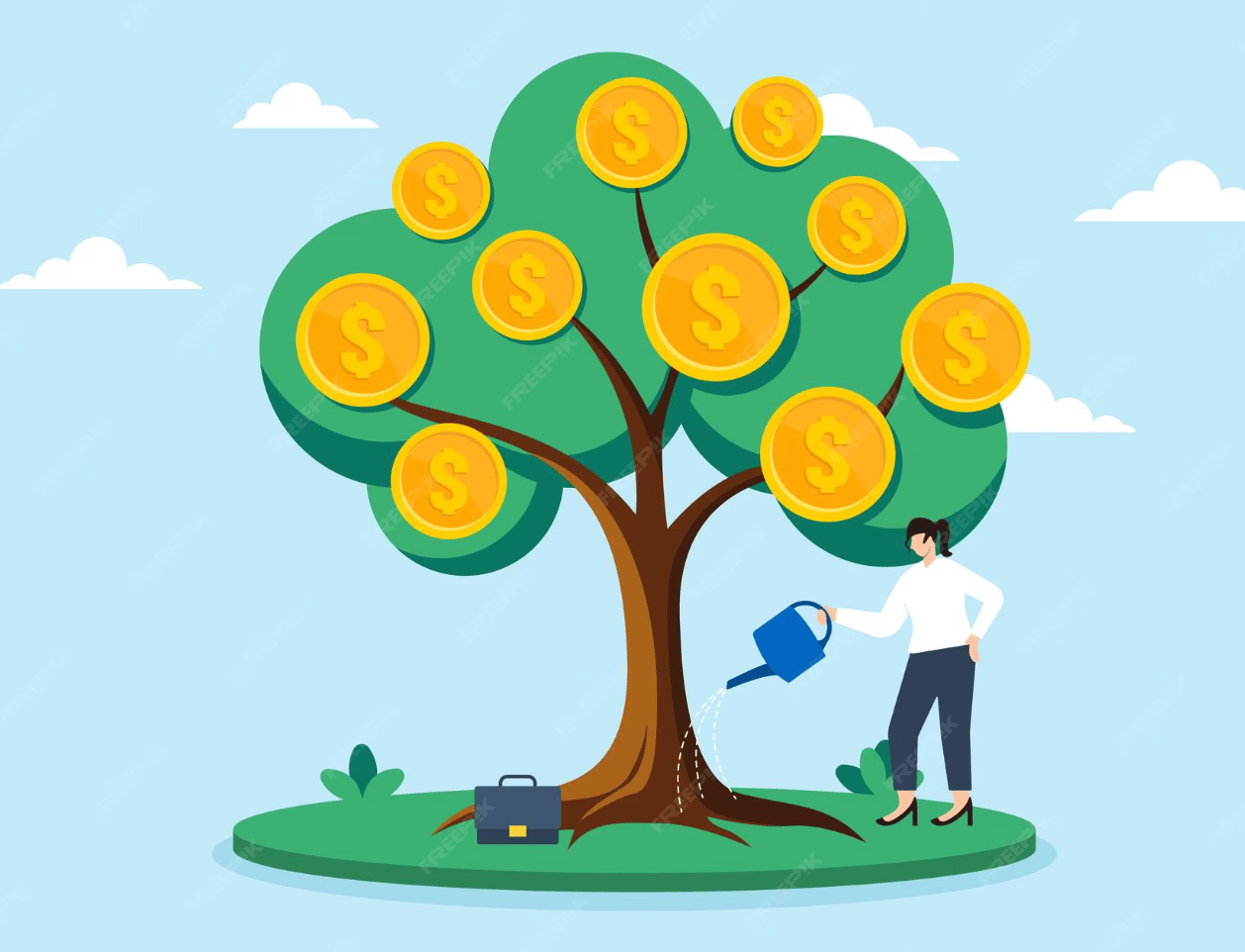
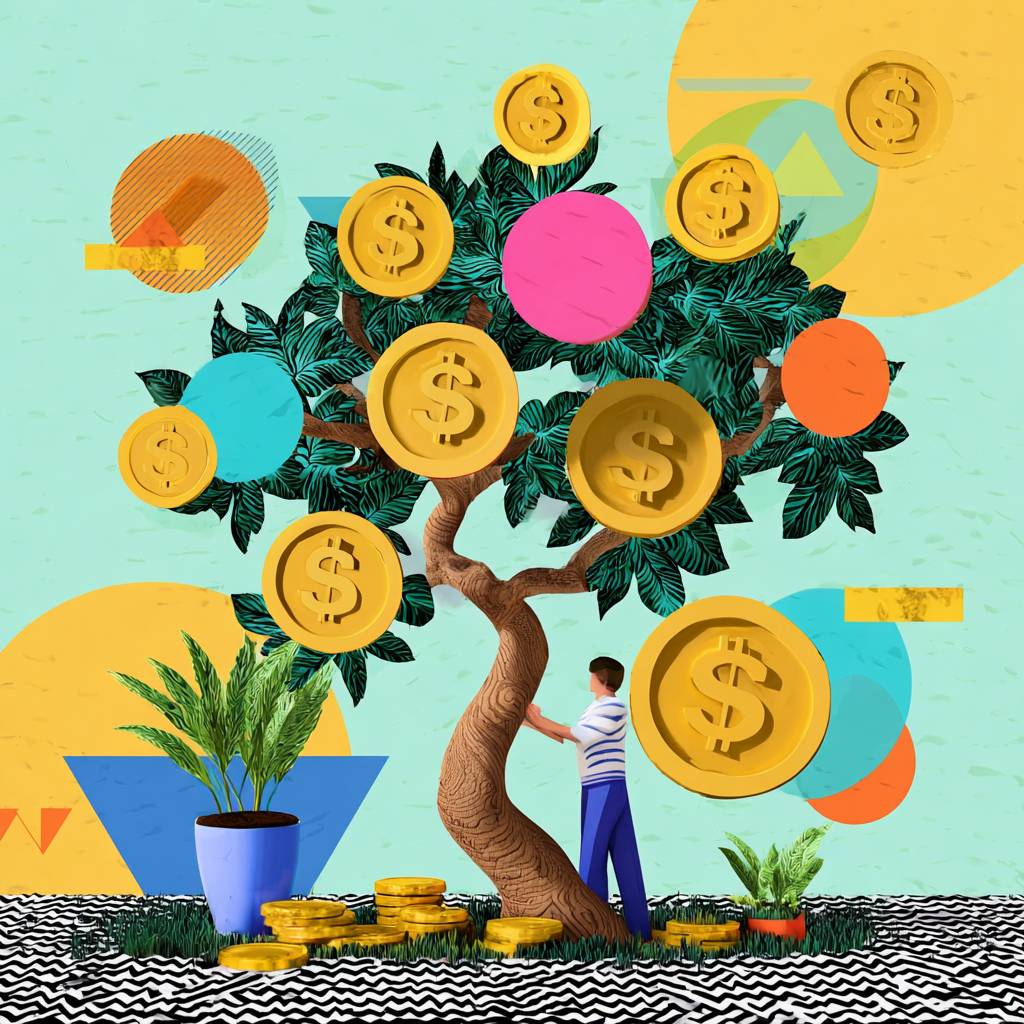
Now let’s take this expected example above and make it into something a little more visually interesting and ownable with Midjourney (which I think does great with abstract/surreal prompts). I’ll take this reference image and cast it through a dimensional, textured, zany Memphis Design Revival style.
I fed my starter image into ChatGPT, asked it to cook up some prompts that translate this image through a bold Memphis Design Revival Style, ran several prompts several times, and ended up with this one I’m digging. I really went for it:
Now let’s try that same money tree stock image with more of a retro-futurist comic book illustration style. Ideally, you'd choose something as distinct as one of these looks and continue to sharpen your outputs as your needs grow.
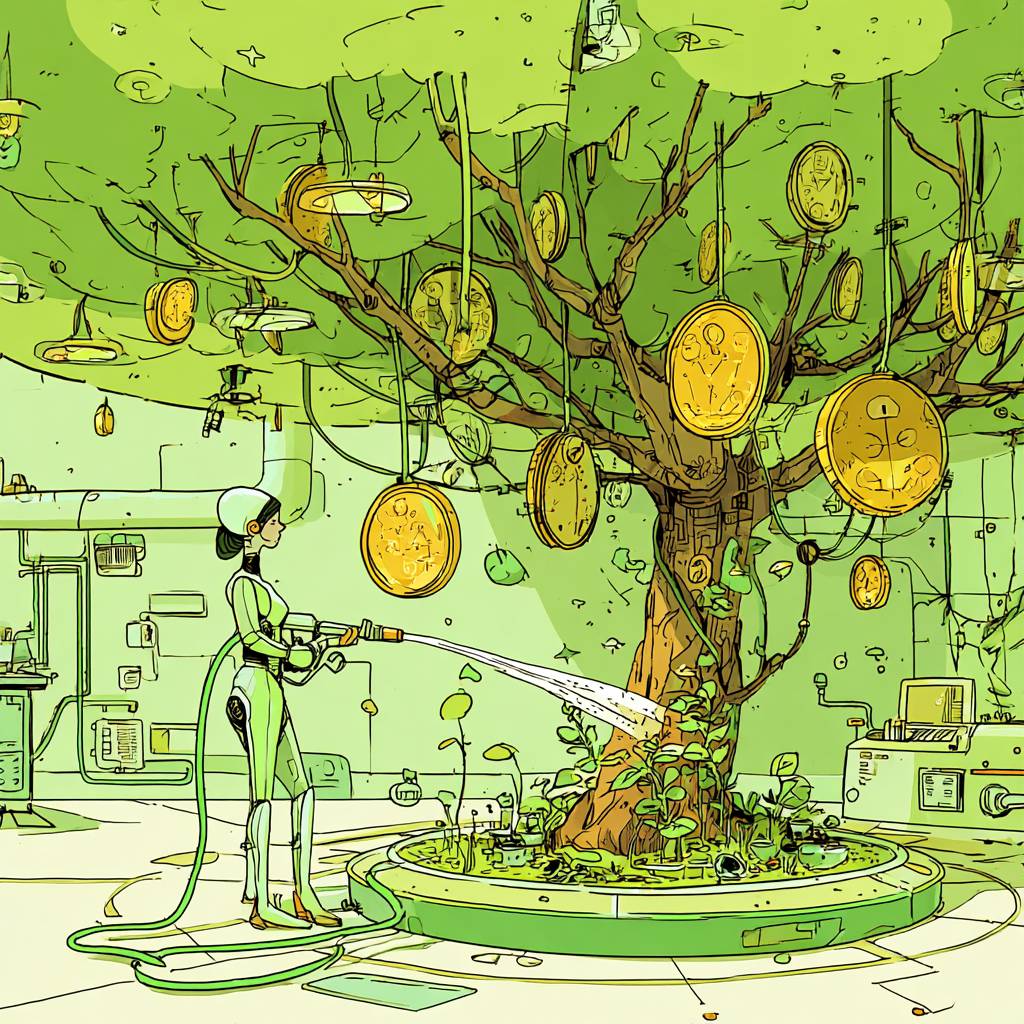
The point is, you can “filter” about any image or concept through any style of art direction, photography, illustration, etc. you like. So don’t settle for boring. Choose a lane that feels right for your brand or project, and keep living into it.
The Takeaway
If you’re an AI image-generating beginner or novice, I hope you found this useful or at least thought-provoking. If you’re already an expert, you know this barely scratches the surface. It’s meant to be a quick, practical spark for curious readers. The truth is, the more you share ideas and experiments with others, the faster you learn, especially with AI tools.
Gil Templeton
Demand Curve Staff Writer
Something fun
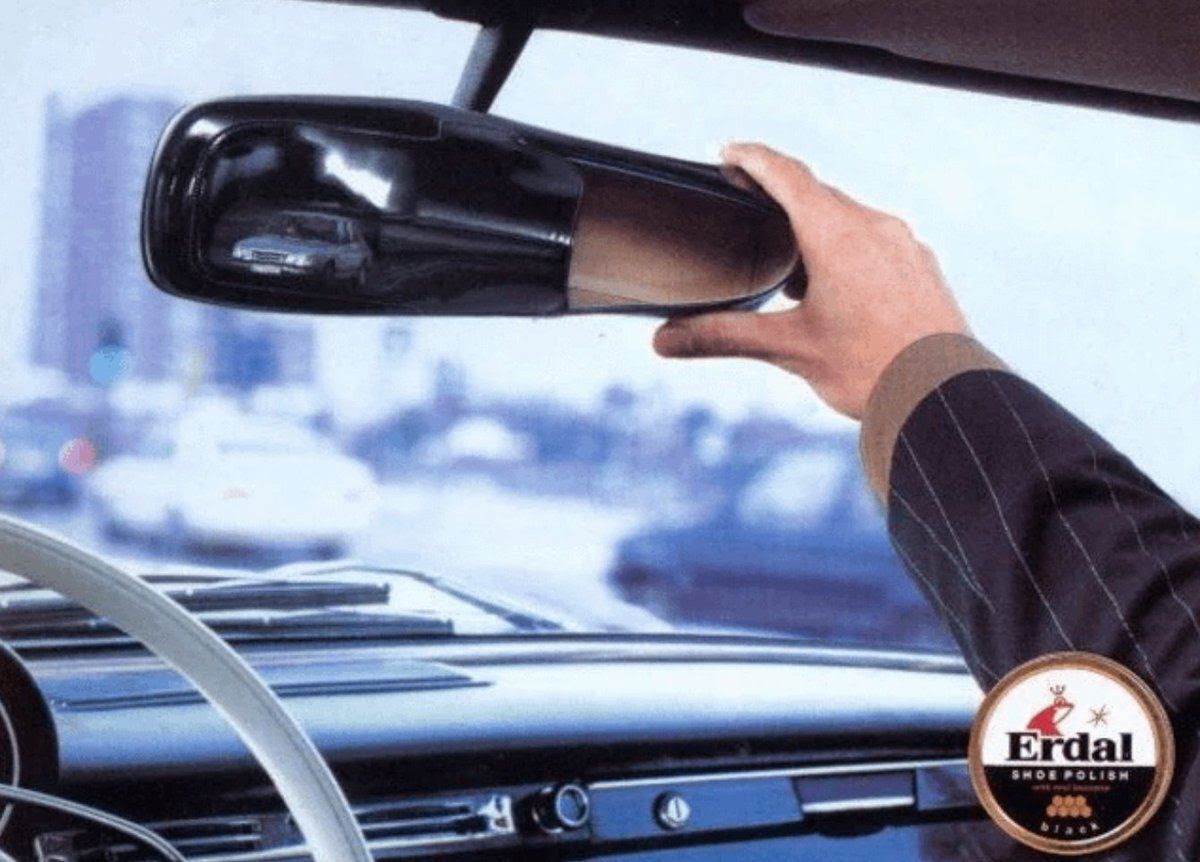
When your shoes are so shiny, they double as a rearview mirror 😎 From Erdal.